We wish to send out Christmas Cards to our Top 100 Customers, how is the best way to find them?
Solution
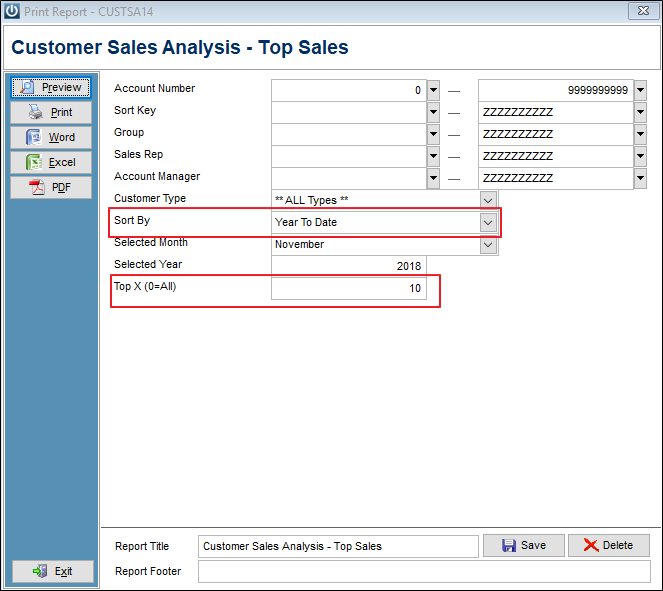
From Customer / Sales Analysis and selecting Top Sales
Change the Sort By to Year to Date and entering a number in the Top X will bring up a number or records.
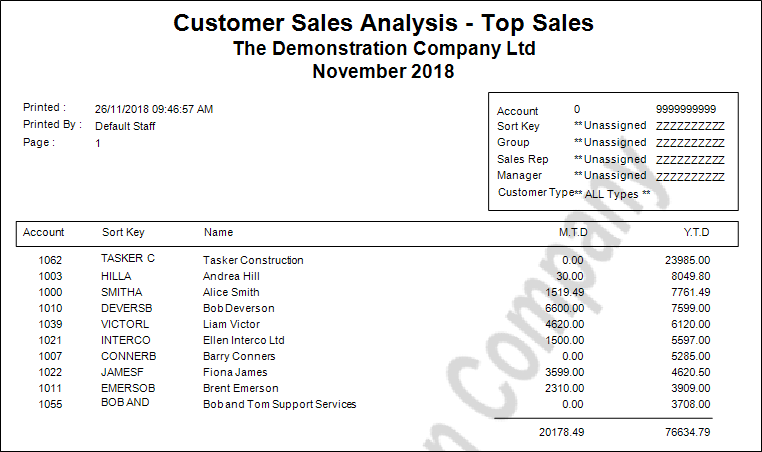
When viewing the report, look at the Year to Date column for the Top Customers.
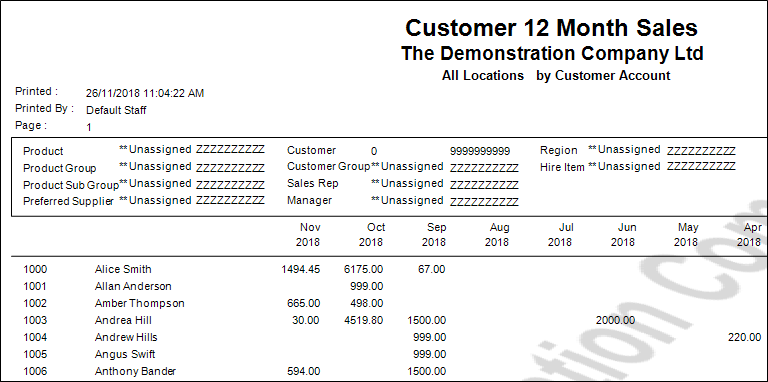
An alternative is to use the Customer 12 Month Sales Report and send it to Excel for sorting. This will allow you to see more detail about the Customer's spending each month, as well as the year to date totals.

They may be purchasing every month but not enough to make it to the top of the list.
How do I save a Report to Excel?
Comments
0 comments
Please sign in to leave a comment.