What is a Kitset?
Kitsets are set up as either Use Items When Invoiced or Use When Received into Stock, see this What are the two options for kitsets for a detailed explanation about which kitset you require.
A Kitset is a new Product Code that is created as usual and then by right clicking and selecting Kitset a new screen is opened. (It is not recommended that an existing Product is turned into a Kitset)
The Product Code is identifiable as a Kitset because of the square brackets around it.
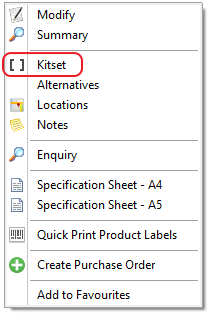
The new screen is opened, ready for the addition of the kitset components.
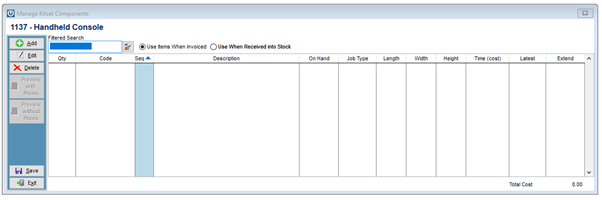
On the Manage Kitset Components screen it shows the Quantity, Code, Sequence, Description, On Hand Quantity, Job Type, Length, Width, Height, Time, Latest Cost and the extend price.
Using the Add button, this will allow user to select the Components from the Products list.
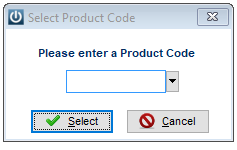
Once the Product Code is entered, select the quantity
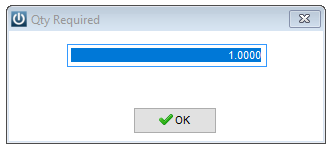
Repeat until all components are entered.
When the kitset has been completed for the first time it is necessary to select SAVE. This will bring up the following prompts. If EXIT is selected, nothing is saved.
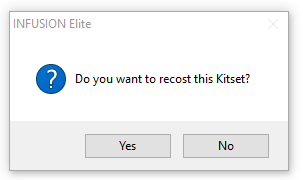
Say yes at this point, or the costs will not be entered on the Product. Note the cost at the bottom of the Kitset and this will appear on the Product Code

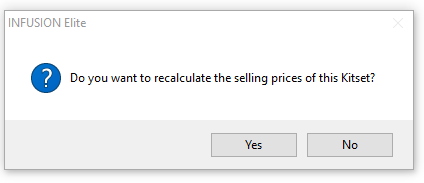
There will also be a prompt to recalculate the selling price, this is optional the first time. You may wish to add a higher selling price to the kitset.
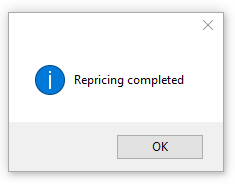
Once the Repricing has been completed, any of the reports can be checked or the EXIT button can now be selected.
Editing a Kitset
If, at any stage the kitset needs to have any changes made to it, right click and select Kitset. This will open the Manage Kitset Components screen. Products can be added, deleted or using the edit button, the quantities can be changed.
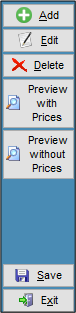
Once any changes have been made SAVE and the Recost prompt will appear again. Select if any changes have been made that will affect the Cost price of the Kitset.
Related Kitset Articles
Where can the two types of Kitsets be used? See this Where can the different kitsets be used in Infusion
Do you want to show the components of your Kitset when you are invoicing it out? See this How do I show components of a kitset
Following setting up the kitset, we have never recosted our kitsets, should we do this? Yes, see Recosting Kitsets instructions
How to create a kitset see Generating a Use When Received into Stock Kitset
Comments
0 comments
Please sign in to leave a comment.