We want to print Delivery Labels to go on the parcels we are sending, can we do this?
Solution
On the Invoice screen there are three label buttons, they will print delivery labels as a one off in the options that are shown (they will preview to screen).
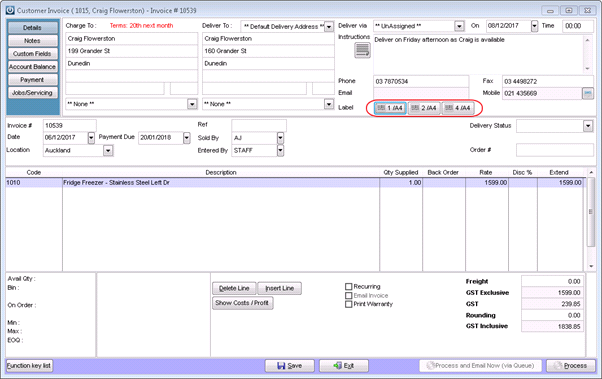
But, if you want to print the delivery labels for the majority of your Packing Slips or Invoices then it is recommended that you look at the article How Do I Print Delivery Labels Automatically. This will enable the prompt to appear when saving either Packing Slips or Invoices to create Delivery Labels.
For one off Delivery instructions, the invoices must be saved for the instructions to appear. Please see the article Where Do Delivery Instructions Print?
Comments
0 comments
Please sign in to leave a comment.