Set up
A flag must be set up under Admin / Defaults / Manage Customer Defaults > Invoices
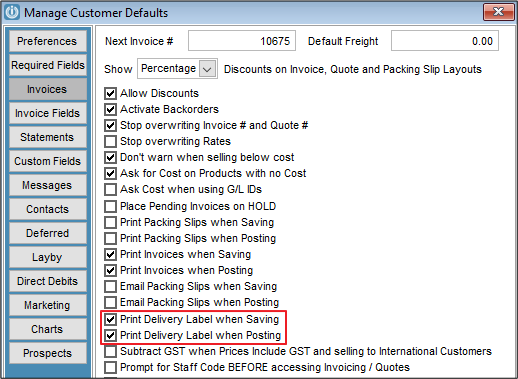
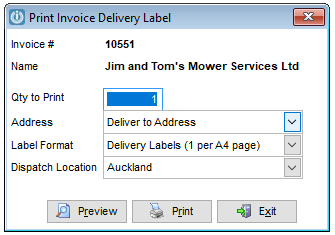
When printing a packing slip or invoice the following prompt appears as the User selects either Save or Process (or both).
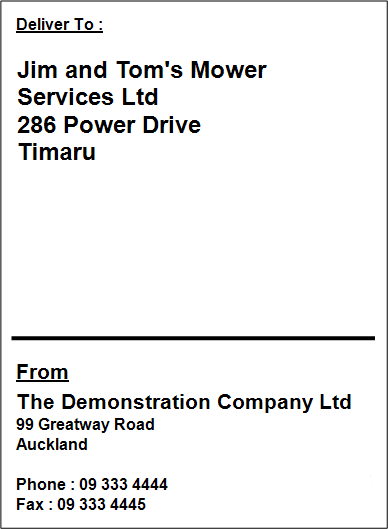
The printed Delivery Label will look similar to below depending on the size selected
If the From details are missing, go to Admin / Settings / Products / Locations selecting the relevant location and entering the physical details.
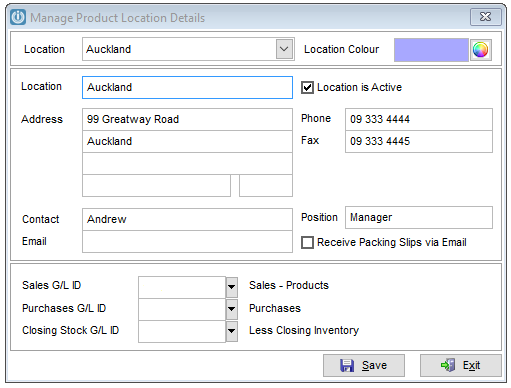
For these changes to take effect save and log off Infusion. Once restarted Delivery Dockets will print the correct address.
Comments
0 comments
Please sign in to leave a comment.