How do I refund direct to my Customers bank account directly from Infusion?
Solution
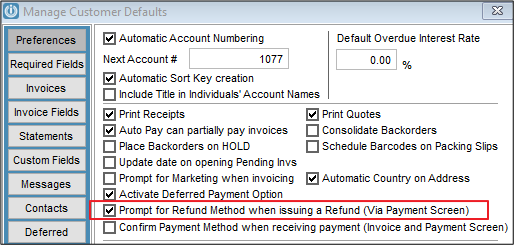
Check your Admin / Defaults / Manage Customer Defaults and check the flag is ticked for Prompt for Refund Method when issuing a Refund (Via Payment Screen)
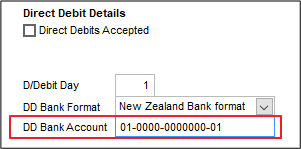
The Customer Details / Terms / Pricing screen will need to have a bank account entered in the Bank Account
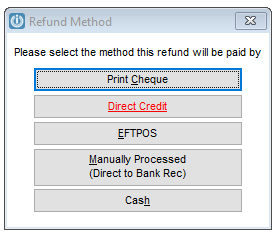
To refund the credit use the Customer Payment screen and choose Direct Credit, even if you do not have this option. It is Red to indicate the bank account is present.
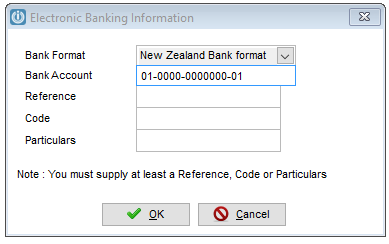
The next screen will show the existing bank details and prompt for banking details or reference.
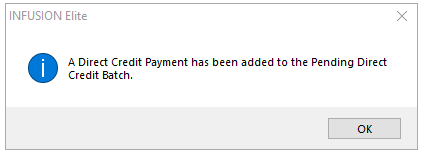
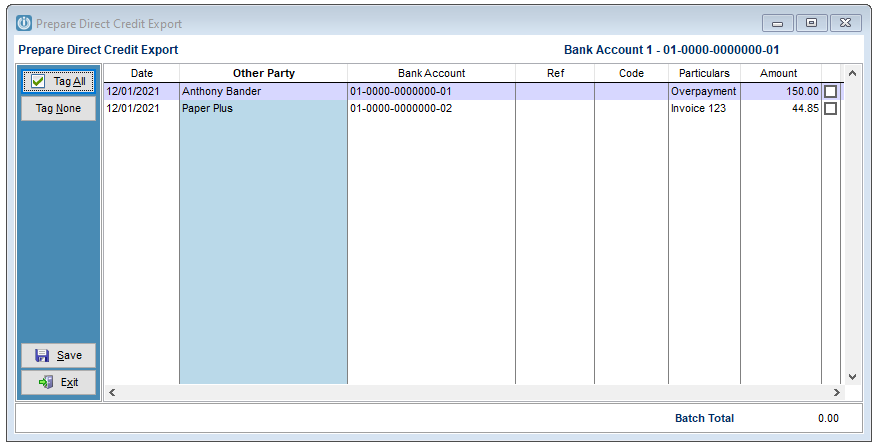
Now the payment is sitting in the Prepare Direct Credit Screen along with any Supplier Payments, just tag and pay as usual. See Export Direct Credit Payments and Upload to your Bank for instructions.
Comments
0 comments
Please sign in to leave a comment.