If the same invoice needs to be recreated regularly for a Customer, the option to create a Recurring Invoice exists.
In the invoice is a tickbox at the bottom center of the screen.

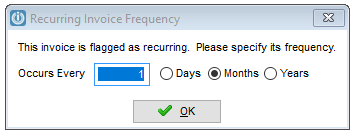
When this is ticked, a prompt will appear allowing the user to set the frequency of the pending Invoice.
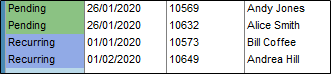
The Status of the Invoice shows in the Manage Invoice screen as Recurring
Posting Recurring Invoices
To post the recurring invoices, either open each one invoice or use the Post All button at the Manage Invoice screen.
Editing Recurring Invoices
It is recommended that a Backup is made before updating Recurring Invoices.
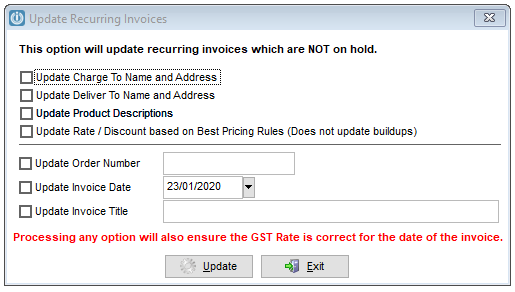
Changes can be made to each recurring invoice or for bulk changes, got to Customers / Utilities / Update Recurring Invoices
Select the relevant change to be made and Update.
Stopping Recurring Invoices
Untick the recurring box at the bottom of the invoice screen and save. Delete the pending Invoice if no more should be processed.
Comments
0 comments
Please sign in to leave a comment.