How can I see all of my Customers with no Email addresses?
Solution
On the Manage Customers screen, move the Email column beside the Name. While the Email column is blue it will sort highest to lowest. Placing all Customers without an email at the top of the list and all of those it one further down.
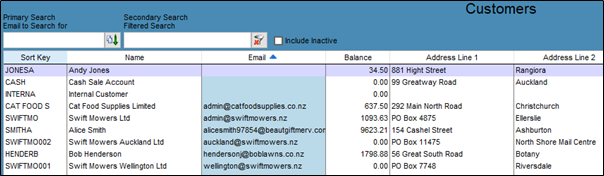
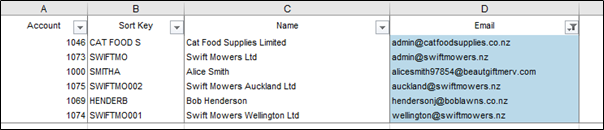
If you want a printable list, open the orange grid from the top right of the screen

Select Excel, and the Name and Location of the Report to see it appear as below.
Comments
0 comments
Please sign in to leave a comment.