Currently it is not possible to report on Custom Fields. The best way to see the data in these fields, is to go to either Customer/ Utilities / Export All Customers.
Using the excel sheet, look at the char, text, num, date and check fields, these are the Custom Fields. They can be filtered and extra rows and columns can be deleted to make the sheet easier to use.
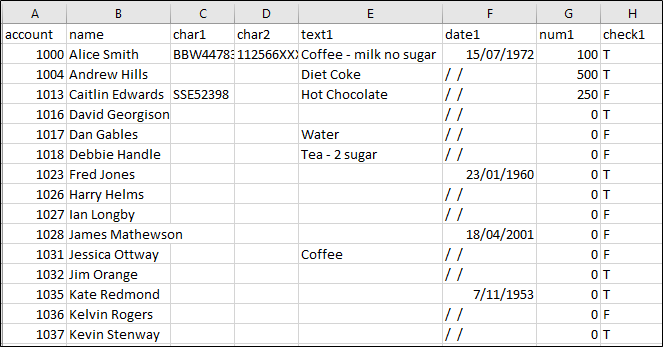
Note: The names of the columns do not export out, but these can be changed on the sheet.
The same instructions can be used for Products.
Comments
0 comments
Please sign in to leave a comment.