In version 8.200 the Trading As field was added.
If your Customised Invoice is not showing Trading As contact Infusion Support or your Partner who will add this back in.
To do this they will add in the new Address box that contains the taname.
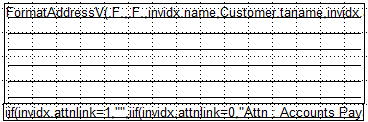
This replaces the old version
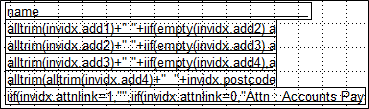
If you have the new version and do not want to see the taname,
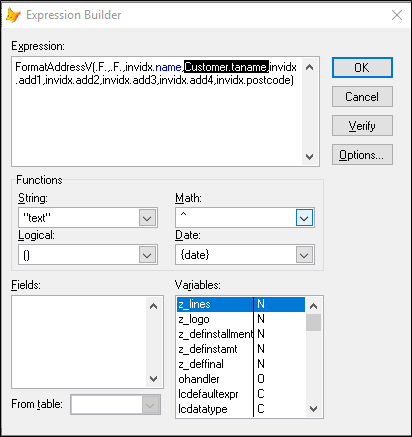
In the Report/Label Editor open the layout and right click on the Invoice to Field to open the Expression Field. Delete out the Customer.taname expression.
Comments
0 comments
Please sign in to leave a comment.