Unallocated Payments are used to record a payment from a Customer that does not have a matching transactions.
These are entered in the Customer Payment Screen by opening this and at the prompt entering the amount to be Unallocated.
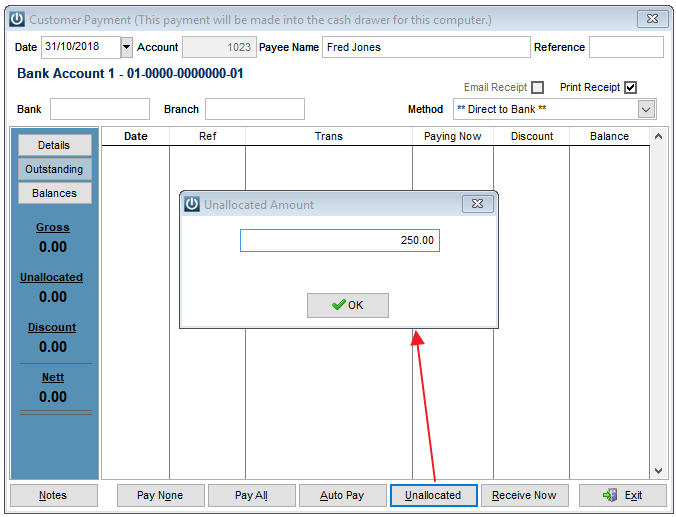
If a negative figure is entered this will prompt a Refund.
Once the OK button is selected the Figure will move to the Unallocated box on the right of the screen until the Receive now button is selected.
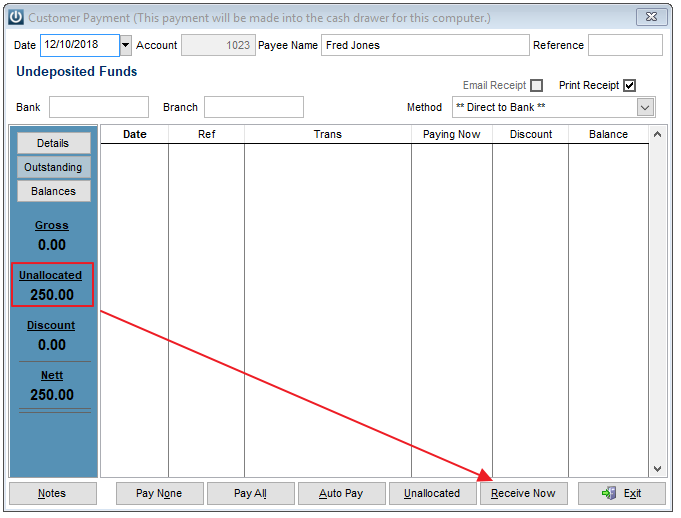
Match Unallocated Payments
Run the Unallocated Payments report to match any Payments, Credits or Unallocated Payment. Not matching these transactions will slow down the preparation of the Aged Trial Balance and Statements.
When there is a matching transaction to allocate the Unallocated figure to, open the Customer Payment Screen again and double click the two figures into the Paying Now column.
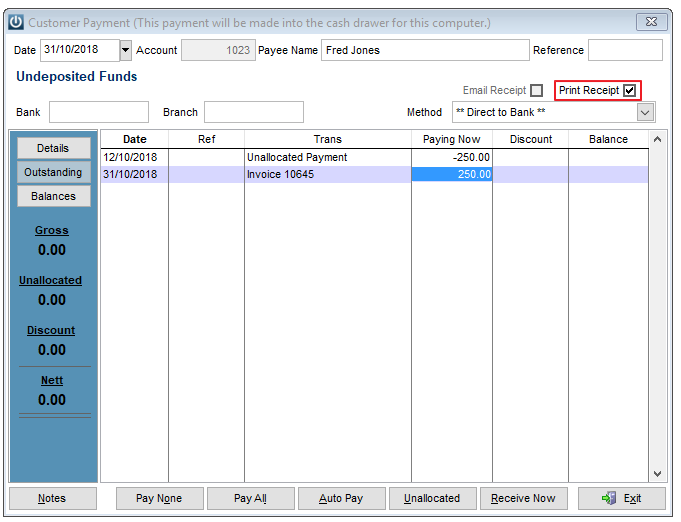
If they are the only transaction to be entered the Nett effect with be zero, or this can be done in conjunction with other transactions.
Comments
0 comments
Please sign in to leave a comment.