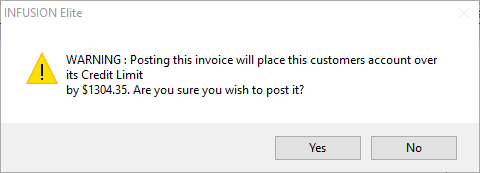
My customer is set up as 20th of the month with a credit limit but we are still able to invoice him if he is outside his credit terms, but we do get a warning. Can we place this customer on Stop Credit without having to remember to tick the stop credit box?
Solution
There is a very easy process to run. It will look at the Credit Terms of the account
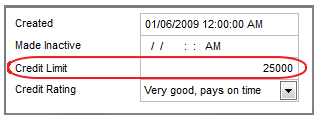
or if there is a Credit Limit set up under the Customers Terms tab.
Once this is done, it it is recommended that each day after all of the Customer Payments have been recorded, that users go to Customer / Credit Management
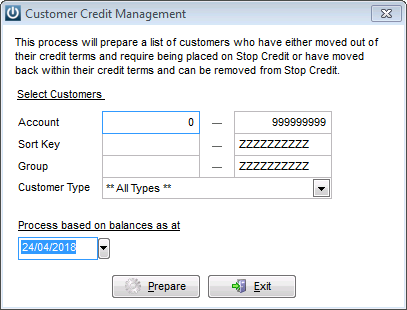
Process the balances the for the current date and you will see all of the accounts who have moved outside of their trading terms and Stop Credit will be applied.
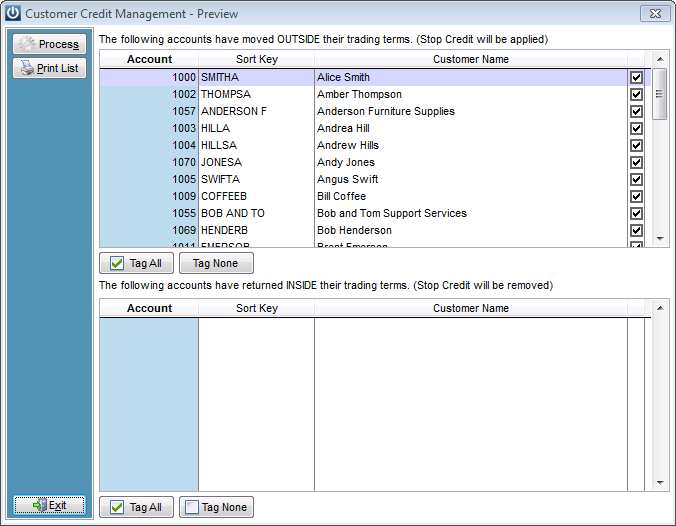
By untagging, the ability to override any customers you do not want to place on Stop Credit exists. Any customers who appear in the bottom of the screen will be returned to usual trading terms (again you can override this).
Click on the Process button and Infusion automatically updates the Customers’ accounts.
But if you are untagging Customers, you may wish to update their Credit Terms.
When a customer pays their account, a prompt will display
The account can be left on stop credit and the next time the Credit Management is run the option to remove from Stop Credit
Or the Stop Credit flag can be selected on the Customers Account.
Comments
0 comments
Please sign in to leave a comment.