I have run the Sales Analysis Reports with different Sort Orders and the totals are not matching. Why is this?
Solution
Do you have the defaults in Admin / Defaults / Manage System Defaults for your Management Reports set to round to the Nearest Dollar?
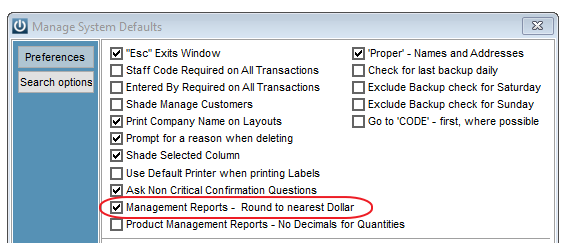
The choice to have rounding causes the difference.
A value displayed to whole dollars could be anything from .00 to .99 – so when you round the line to dollars and add them up you get different values.
Because you have different sorting, the line values are all different on each report, and the total for each report is based on the rounded line amounts, not on the sum of the absolute values of the lines and then rounded.
Eg
123.55 becomes 124
222.55 becomes 223
=================
346.10 is not 347 – but the total shows 347
That 346.10 might be sorted into 3 lines
101.49 becomes 101
144.31 becomes 144
100.30 becomes 100
==================
346.10 and total shows 345
So you see 347 and 345 and the truth is 346
Comments
0 comments
Please sign in to leave a comment.