When I am in an invoice and have entered a Product Code, I need to change the rate that has been entered, but nothing happens when I type in the column or even in the discount column to change it. Why can I not do this?
Solution
All of the following options may need to be checked by a user with greater access to the software.
In the first instance the default settings on your system controls if Rates or Discounts are able to be changed.
This is set up under Admin / Defaults / Manage Customer Defaults > Invoices Tab
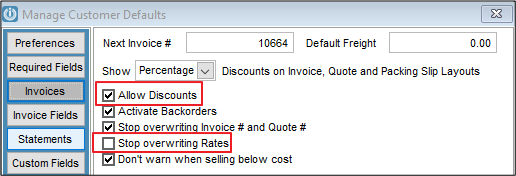
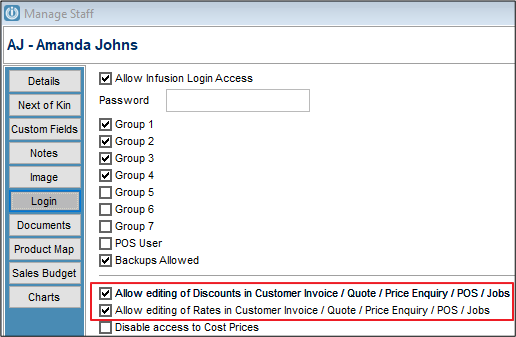
If this is correct then the next option is your Staff setting. Under Staff / Manage Staff / Locate your Name. Open the Record to the Login Page, check the Allow Editing of Discounts and Allow Editing of Rates Settings. These need to be ticked.
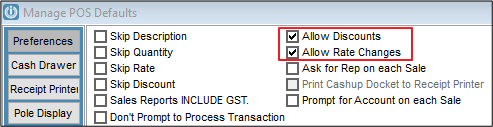
Point Of Sale also has a setting that will override this setting POS/ Manage POS Defaults. So depending on the set up of the Users this may need to be changed as well.
Comments
0 comments
Please sign in to leave a comment.