How can I send emails to my Customer?
Solution
When a Customer or Supplier is set up there is an option to add in an email address.
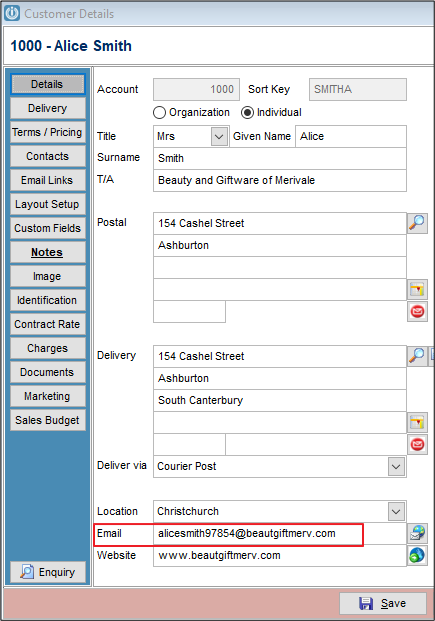
Under the Email Links tab all forms will automatically send to this address. But, if you want to send Invoices to a specific person, or more than one person needs to receive a copy of the Invoices, this is possible also.
Select Contacts and enter the details as necessary. Ensuring to add the Position if you know it.
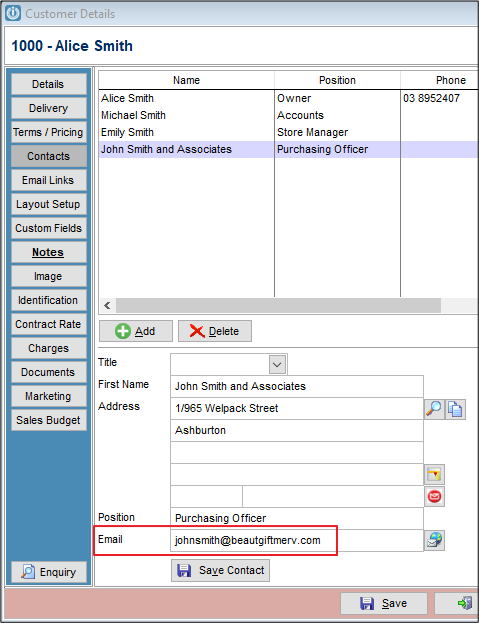
Save Contact and Save the record.
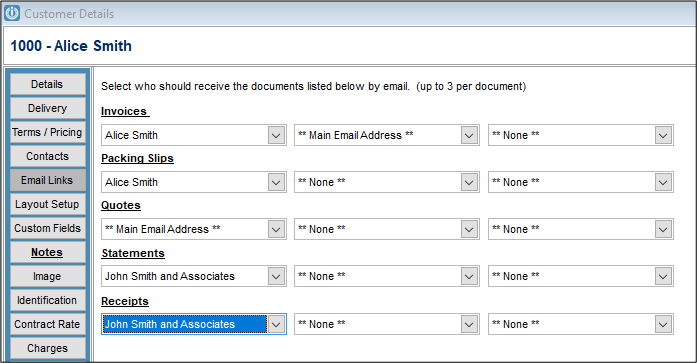
Open and select Email Links.
From here, enter the relevant Contact for each document. Each document can be sent to up to three email addresses. It is also possible to have different email address for Invoice and Statements
Comments
0 comments
Please sign in to leave a comment.