When I select the Include Posted box at the top of the Manage Invoices screen I do not see the Terms or Location columns, why not?
Solution
The terms column is only relevant while the Invoice is Pending, once the Invoice is Posted the terms are available by right clicking on the invoice and opening the Customer Details screen.
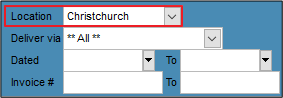
The Location column has been removed from the Posted Invoice screen to speed up searching. The drop down option on the top right still gives users an option to select each Location, if their Staff settings allows this.
Comments
0 comments
Please sign in to leave a comment.