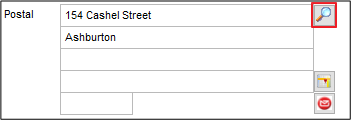
The lookup button next to the first line of the Postal Address fields and the Delivery Address fields allows online searching of Postal and Delivery addresses on Customers - in Details, Delivery and Contacts tabs.
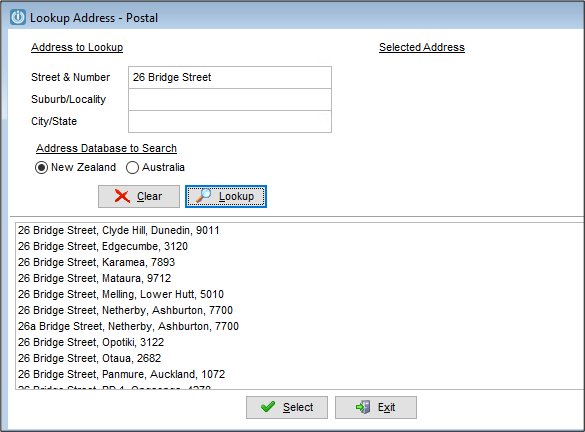
It is automatically included for all Versions 8.4 and above. A change has been made to this function and users will need to upgrade to Version 9.100 if the "No Results Found" message appears. Following the upgrade, it has been noted that this will return results if the Street & Number are added.
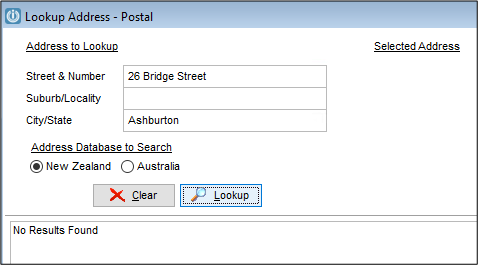
It will not locate the address if the City is entered in the Suburb or City fields.
This is being investigated.
Features
The Address Lookup functionality has been designed to use 2 different databases - one for Postal addresses and one for Physical addresses.
The Postal Address Database is used from the following buttons:
- next to the Postal Address fields section in the Details Tab
- next to the Address fields section in the Contact Tab
The Physical Address Database is used from the following buttons:
- next to the Delivery Address fields section in the Details Tab
- next to the Address fields section in the Delivery Tab
The software detects from the Scheme File if New Zealand or Australia should be selected by default when entering the lookup screen.
The Country New Zealand or Australia is added to Line 4 if it is empty (not returned in the address) dependent on which database is selected using the radio buttons.
For Example:
Click on the lookup button next to the Delivery Address lines on the Customer Details Tab:
This will open the Address Lookup screen using the Physical Address database.
The information coming from the Details tab is already populated on the Address to lookup section. Clicking “Lookup” will display the closest match options found on the list below it:
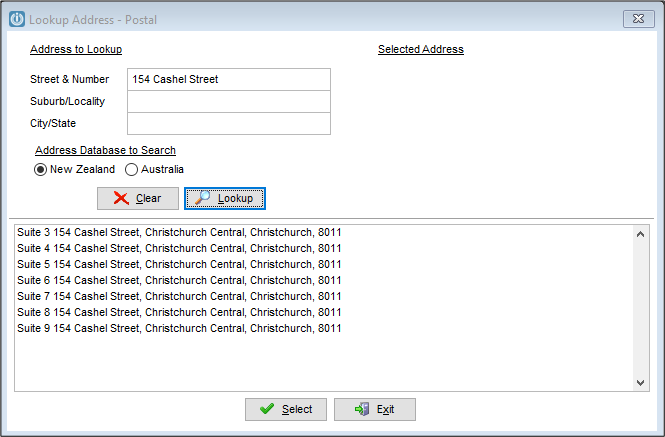 Highlighting one of the options will show it in the Selected Address section.
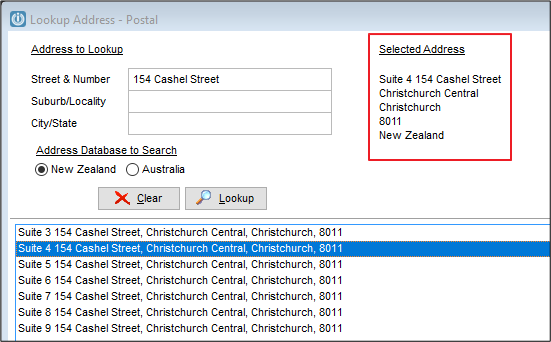
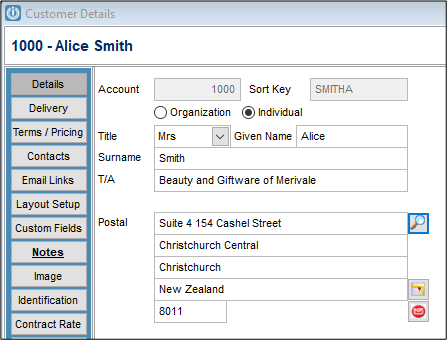
Clicking “Select” at the bottom of the Lookup Address screen will replace the information on the Address fields in the Customer screen with the information selected on the Lookup Address screen:
Comments
0 comments
Please sign in to leave a comment.