My staff member has receipted a Customer Payment by Eftpos when it should have been Cash. How do I change this?
Solution
There are several options for this depending at which point of the payment it is realised the method is wrong.
Option 1:
Admin / Deleting / Delete Customer Payment - Unless paid by POS or the transaction is not available for deleting.
Option 2:
Paid by POS and at the Cashup screen the Cashup Docket records Cash as $25.90, Eftpos as $172.50, and MasterCard $517.50.
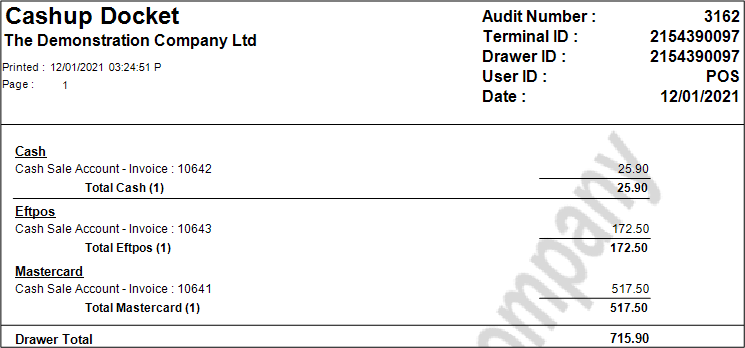
This is not what is to hand, in the example we are going to say that $517.50 was a cash payment and not paid by MasterCard. Simply change the totals to reflect the actual Eftpos Settlement as below.
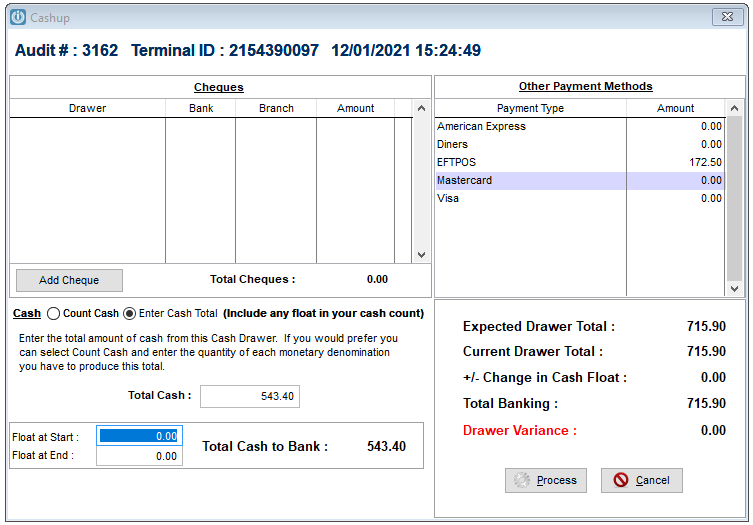
Option 3
Payment is sitting in the Prepare Bank Deposit screen (Cashbook / Prepare Banking / XXX). Select the Change Method option and change to the correct type of Payment Type.
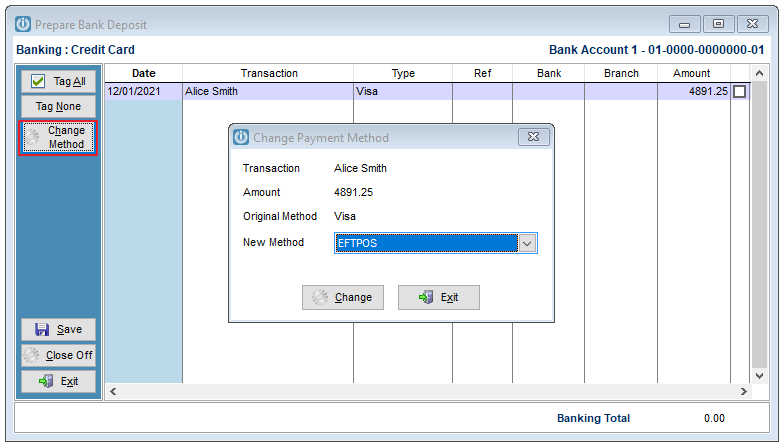
If users are frequently getting the payment method incorrect, it is recommend that the settings described in How do I Confirm My Payment Method? are set up.
Comments
0 comments
Please sign in to leave a comment.