How Do I Handle a Bounced Cheque or Reversed transaction from a Customer?
If a Customer payment, cheque or AP is returned by the bank as Unpaid (Dishonoured) then you need to process this against the Customer’s Account. To do this firstly go to the Customer payment screen.
- Select Unallocated and enter in the appropriate negative value.
- The Method of payment must be set as Direct to Bank.
- The Date of the payment must be the date the transaction was reversed by the bank.
- Select Receive Now to process the payment
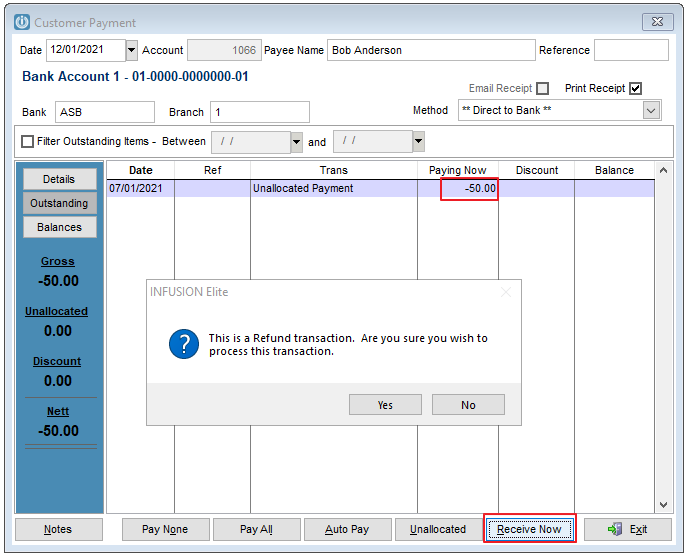
This will increase the balance owed by the Customer and also process the unpaid item as a Payment on the Bank Reconciliation.
No further banking entry is required.
When the payment is received this should be paid against the Unallocated Payment on the Customer's Account.
Comments
0 comments
Please sign in to leave a comment.