I want to see what terms all of my Customers are set up as, what report will show me this?
Solution
Currently the best way to do this is to go to Customers / Utilities and export All Customers to a CSV.
Once this has opened look for column BR (Agemethod) and BS (Days).
Delete any columns not required, in the example below we have the Account Number, Sort Key, Name, Age Method and Days only.
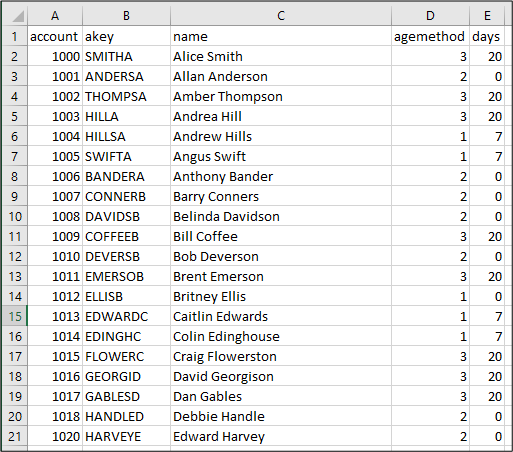
In the agemethod column
1 = Number of Days
2 = Cash
3 = Days after end of Month
Comments
0 comments
Please sign in to leave a comment.