We have just changed our Bank Account and I would like to change the number that is printing on our Invoices and Statements. Where do I do this?
Solution
Under Admin \ Defaults \ Manage Customer Defaults - Preferences. It is recommended that bank account numbers appear in the Payment Message box as they will then be printed on both the Invoice and Statement.
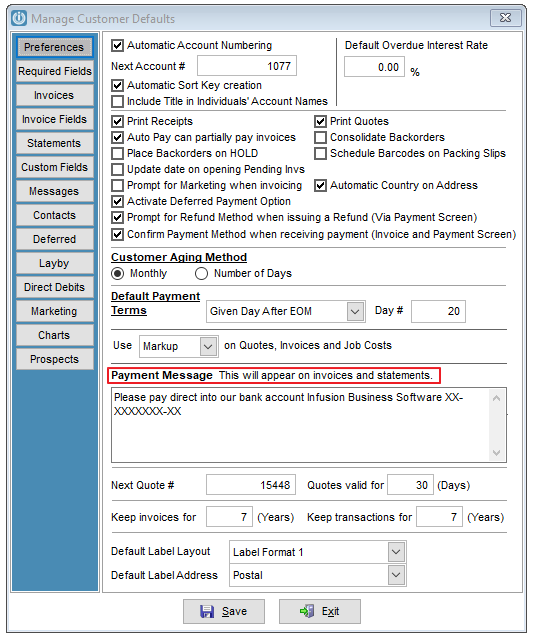
If your bank account is not showing here, then check the Messages Tab.
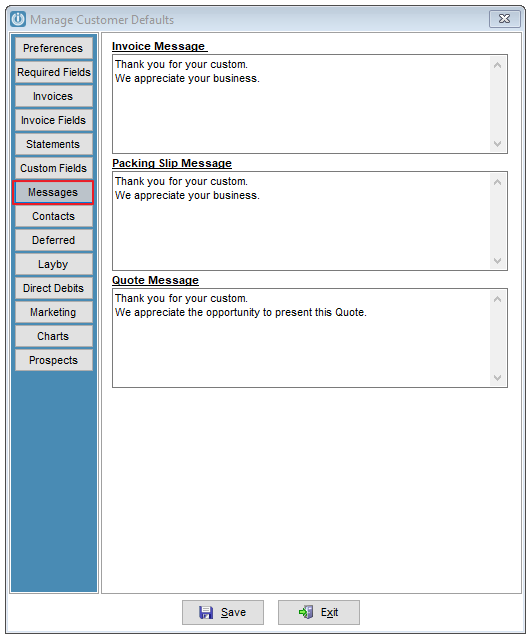
Still not found? Then it may be embed in your Invoice layout. In this case call your Certified Partner or Infusion Support on 0900 777 78.
Comments
0 comments
Please sign in to leave a comment.