Can I set up a discount based on a specific range?
Solution
Yes, the best way to do this is by having your Customers and Products set up into Groups and using the Discount Matrix functionality
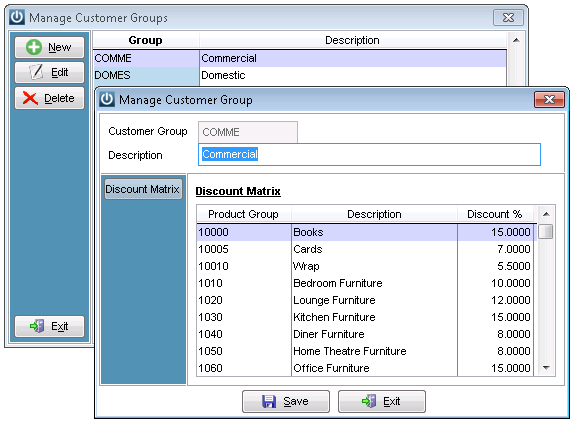
Customer Groups are setup in Admin / Settings / Manage Customer Groups. Each Customer Group can have a Discount associated with a Product Group.
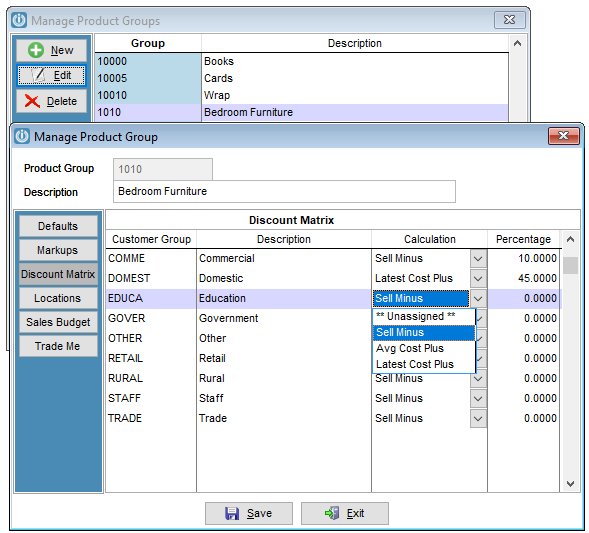
Product Groups are setup in Admin / Settings / Manage Customer Groups. Here a Discount for a Product Group can be associated with a Customer Group in a similar fashion to above.
From Version 8.500 a calculation column has been added. To allow the Discount Matrix to calculate from Sell Minus a percentage or using the Average or Latest Cost (selected based on your system defaults you will not use both) Price add a percentage or Unassigned.
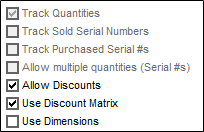
For the Discount Matrix to work BOTH the Customer and Product must be setup to Use Discount Matrix. This is done in the respective Manage sections and requires each Customer and Product to be individually selected for this.
The discount will be applied to the Price Level that the Customer is set to. EG: If one customer is on Retail pricing ($100) with a Discount Matrix discount of 10% and another is on Trade Pricing ($75) with the same Discount Matrix applied, the first will be charged $90 and the second $67.50.

Check the Correct Group is selected for the Customer: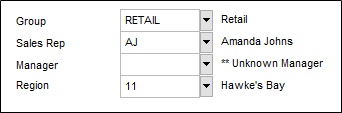
When the invoice is entered it will automatically calculate the discount for the Customer Group and Product Group.
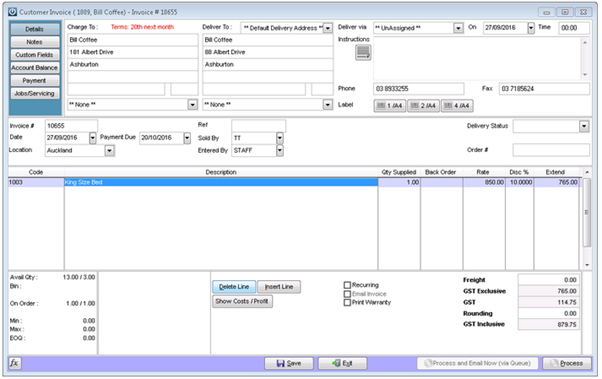
It is important not to tick Use Discount Matrix on Customers who do not have this set up.
Comments
0 comments
Please sign in to leave a comment.