Is there a way to see what products I have sold my Customer?
Solution
Depending on what you want to see there, is are range of options.
Product History F12
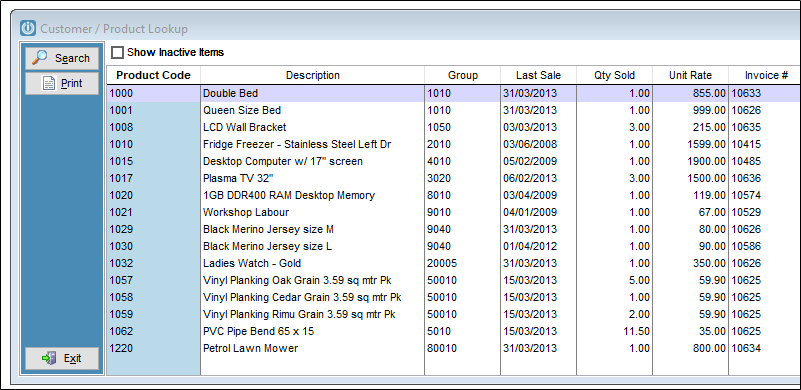
This is available by right clicking on the Customer and selecting Product History, via the Customer Enquiry screen or any Invoice, Quote or Job and selecting the F12 button.
The screen will display one line for every product code sold, the last sale date, the invoice number and the price the item sold for. It will record these details from the last invoice and these are not a total of sales to the Customer.
Sales Analysis Report
Alternatively use the Customer / Sales Analysis by Date Range if you are wanting to see the sales during a specific date range.
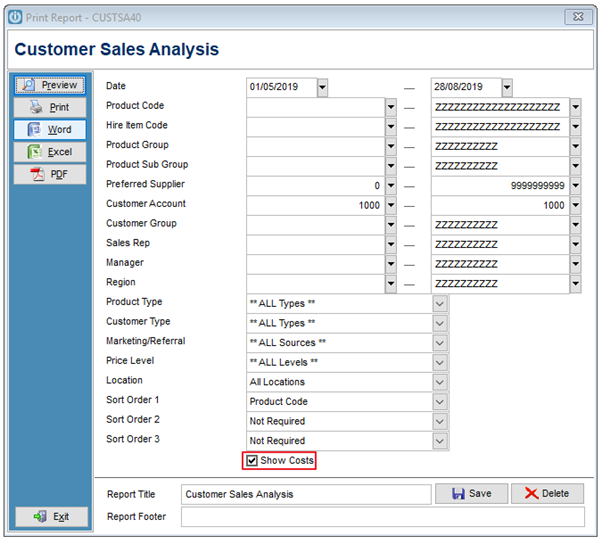
Enter the date range, the Customer Account Number and sort order. In this example only Product Code has been used.
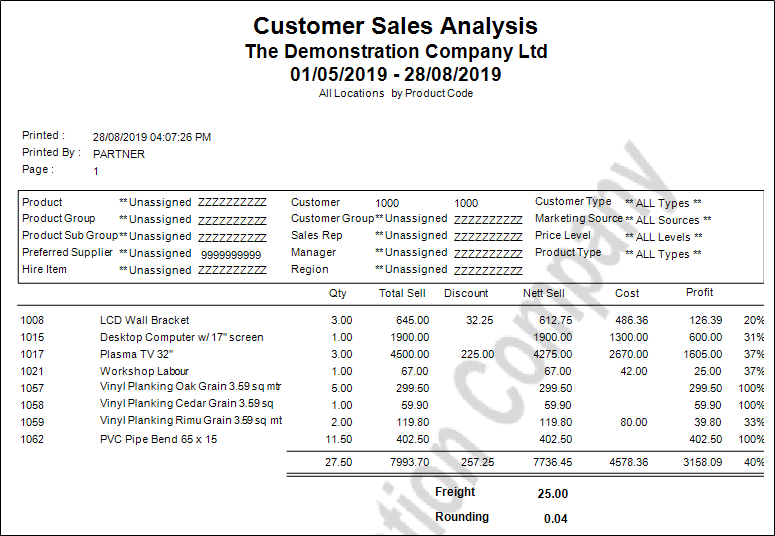
The Report will show more details of the transactions, including the Cost and Profit.
By unticking the Show Costs flag, this removes the Cost and Profit and this report.
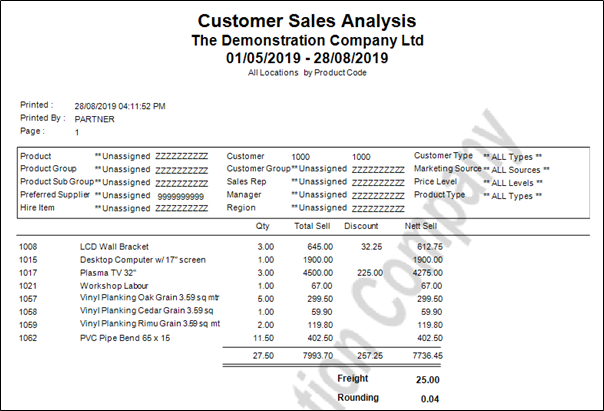
Selecting different sort orders would allow you to see the Invoices the products were purchased on, and various other options. As long as the date range stayes the same, the quantity would always remain the same, but be presented in different ways.
To see the quantity sold to your Customer since they first began trading with you, remove the first date.
Comments
0 comments
Please sign in to leave a comment.