We print our invoices and statements on Letterhead Paper but want to email using the Company details and logo. Can we do both?
Solution
You can choose to not display certain elements in a layout when they are printed.
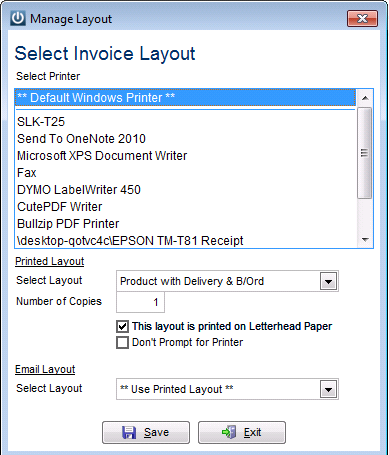
Under Admin / Layouts / Select Invoice Layout
Tick This layout is printed on Letterhead Paper
Select **Use Printed Layout** for the Email Layout
When ticked the Company details from your Infusion License will not display when printing but will display when emailed.
You can display other fields on your invoice layout only when emailed eg logo footer etc
To do this, in Report Writer, double click on the field, and type in z_coname in the Print only when expression is true:
tags: licence
Comments
0 comments
Please sign in to leave a comment.