Why does the Manage Quote screen not show both the Job ID and my Invoice Number?
Solution
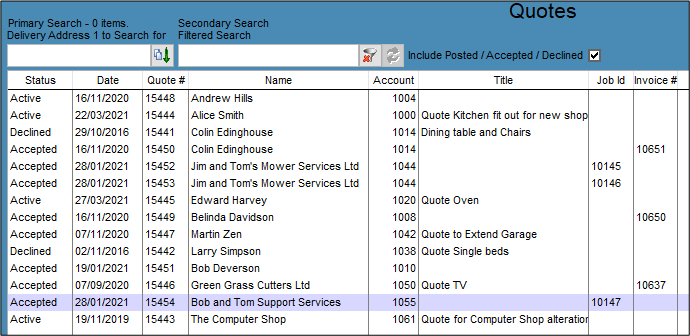
This is an either/or option. If the Quote has been turned into a Job, the Job ID will be displayed as soon as this is done.
If the Quote is turned into an Invoice, the Invoice # is displayed in the appropriate column.
Once either of these options are selected the Status of the quote is changed to Accepted and nothing further is able to be done to the Quote without duplication.
To see what invoice number the Job became, open the Job and check the Invoices button.
Comments
0 comments
Please sign in to leave a comment.