My notes on Jobs are a different size to the rest of the text. What is happening here?
Solution
This will apply if you have set the scaling on your Infusion Icon. See Reports not displaying correctly.
Check the Foxy Preview settings by Previewing a document to the screen. Select the Configuration icon and open the Email Tab.

If the Email Mode is set to "Infusion Email Defaults"
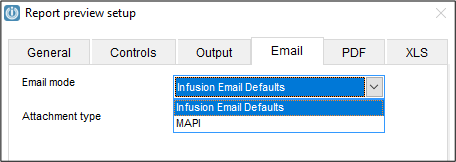
The text in text fields eg Instruction tabs of Jobs will display larger than usual. If MAPI is selected then the text won't scale to the settings on the PC.
Comments
0 comments
Please sign in to leave a comment.