We accept Q Card and they do not pay us the following day for the transactions we have processed. Then they also deduct a fee or commission before depositing the money into our bank. What is the best way to deal with this is in our system?
Solution
Starting back at how the Q Card (or American Express, ZIP, etc) is entered in to the system as a banking group will make thing easier. Using Afterpay
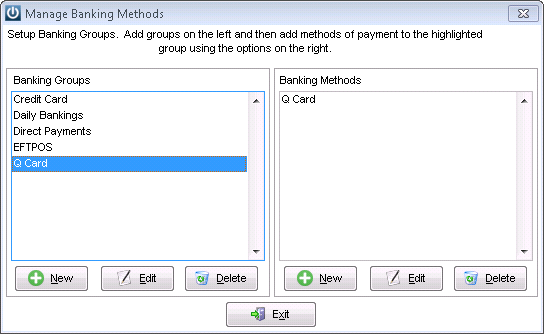
Under Admin / Settings /Manage Banking Groups
Create a new Banking Group for Q Card and under Banking Method also create a new method called Q Card. Repeat for any other Banking Group.
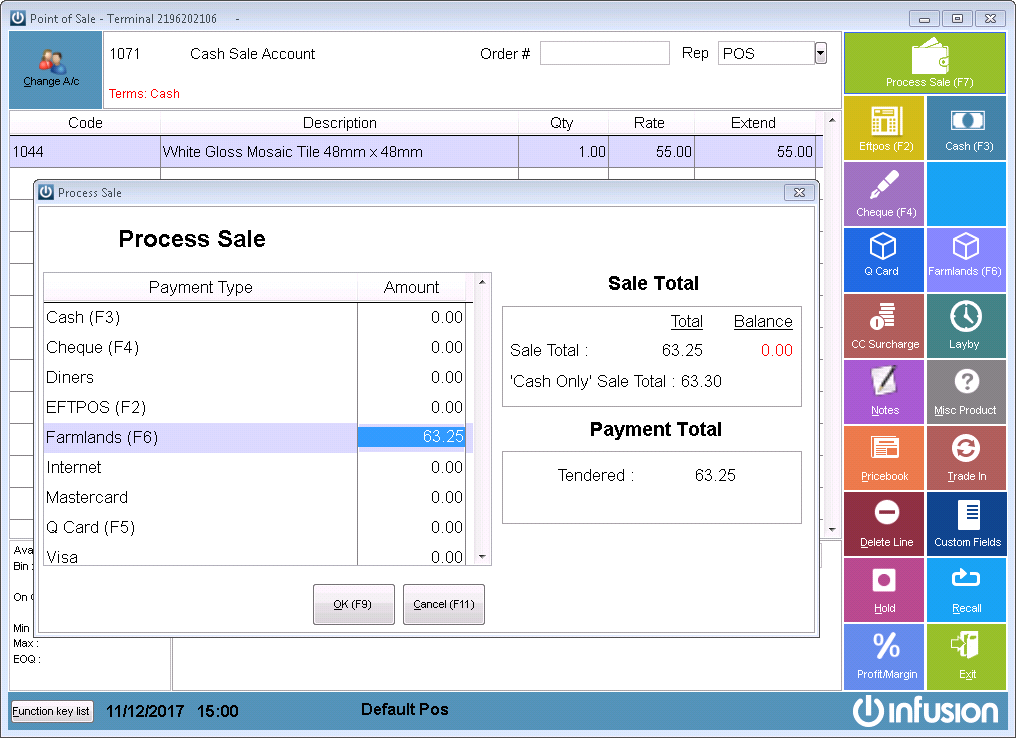
When entering any of the transactions relating to these methods in future allocate the payments to the correct Payment Method.
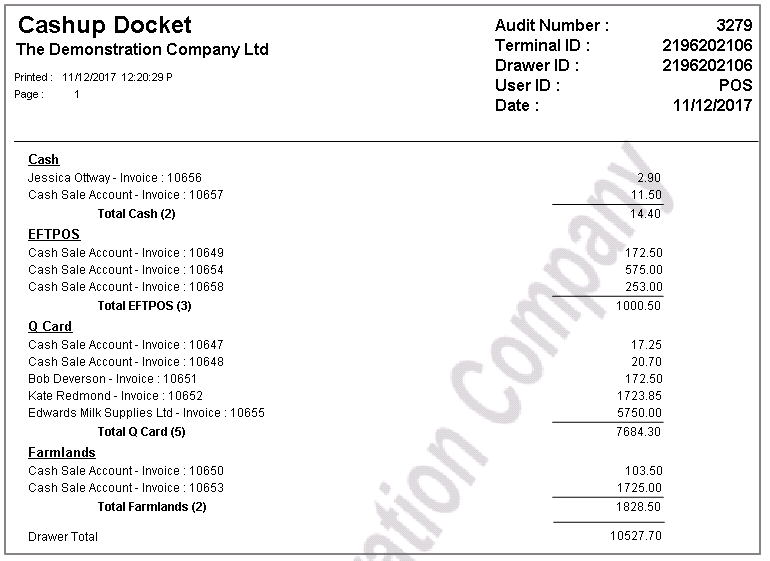
When the Cashup is done at the end of the day, Payments are shown in the correct Banking Group.
When the Payment comes into the bank, tag all of the entries in the Prepare Bank Deposit Screen for the Relevant Banking Method

The total will be more that the amount receipted into the bank if Commission has been removed. To allow for this, create a Cashbook Payment. Date it the same date as the Deposit and the Payment amount will be for the amount of Commission that has been deducted.
Select the General Ledger Code for Commissions and enter as below.
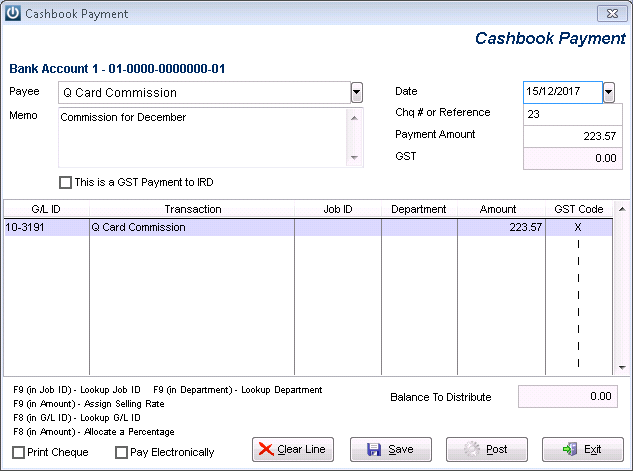
The net effect is the Deposit of the invoices paid is the total amount received, the Commission is coded to the Commissions GL Code.
Two entries are recorded into the Bank Rec screen.

It is important to ensure that the GL Codes for Commission are set up correctly:
Inclusive of GST
Instructions for Farmlands Payments and Commission are not the same, please have a look at the link.
- Laybuy
Comments
0 comments
Please sign in to leave a comment.