How do I add Jobs on to the Scheduler directly from the Job Screen?
Solution
These instructions are based on the Scheduler being set up for the Staff member. In the Start box ensure that the correct date and time are entered, add the expected duration of the Job.
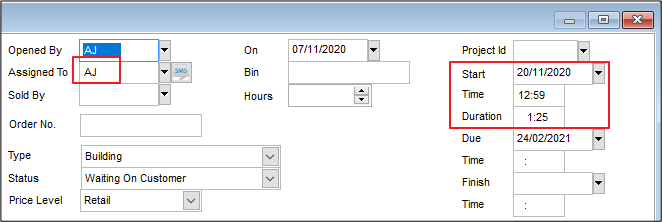
Once this is done click on the Schedule tab and then on the Add Staff Time button. The details will then populate into this box and transfer into the Scheduler.
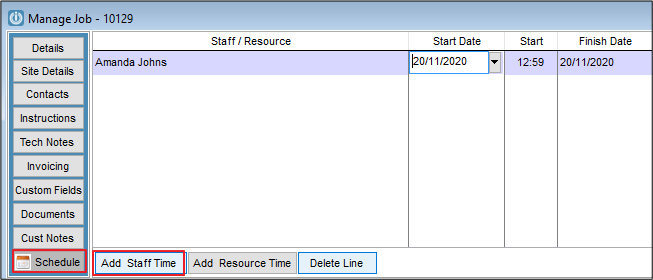
To add more than one lot of time, use the Add Staff Time button and manually fill in this information.
If you check the Scheduler you will see that the Job is now recorded.
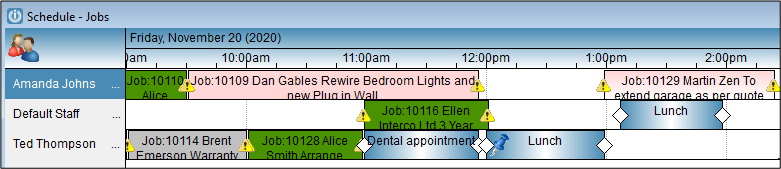
Please note this will only record the time on the Scheduler. To charge the time to the Job is a separate process.
Also see Removing a Job from the Scheduler
Comments
0 comments
Please sign in to leave a comment.