I have an amount showing on my Undeposited Banking Report, how do I move it to my Bank Account?
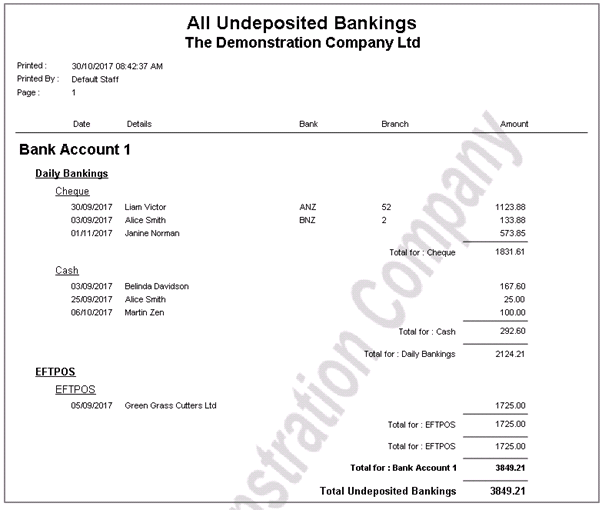
Solution
The Undeposited Banking Report, found under Cashbook / Reports / All Undeposited Bankings will detail any transactions that have not been deposited into the bank.
It is important to know that all transactions recorded in this report are from payments or sales that have been recorded in the software. If this is incorrect, the originating transaction must be reversed.
See Reconciling All Undeposited Banking Report to reconcile to the Bank Account.
If we go to Cashbook / Prepare Bank Deposit, Select Bank Account 1, Select Banking Type Daily bankings we will see the Cheque and Cash transactions.
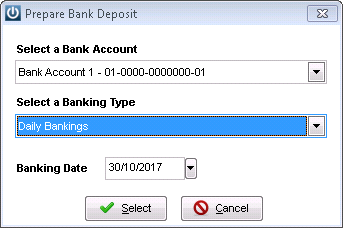
By leaving the date as today it shows all transactions
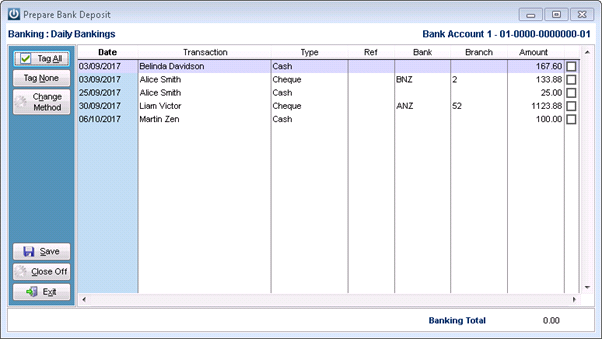
Simply tag the required transactions to move to the Bank, enter a reference if necessary, there is an option to print the Banking.
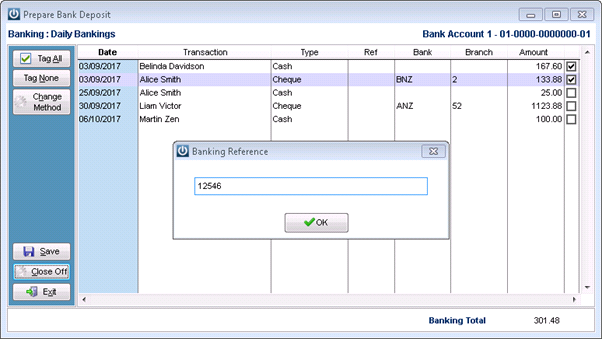
and these transactions will move from the Prepare Bank Deposit screen into the Bank Reconciliation screen.
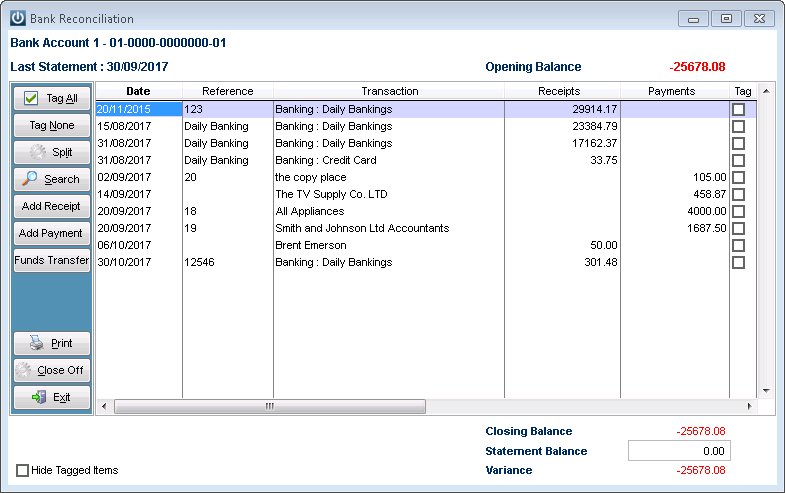
This process can be repeated as many times as necessary to clear the report.
Comments
0 comments
Please sign in to leave a comment.