Users wanting to assign costs to specific areas of a business from the Workshop, can do this by setting up Departments.
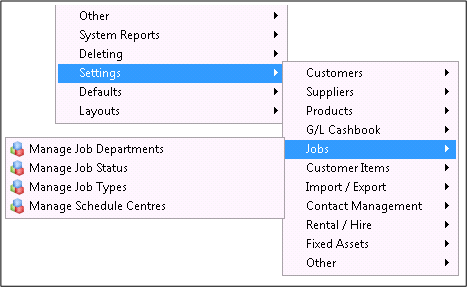
To do this go to Admin / Settings / Jobs / Manage Job Departments
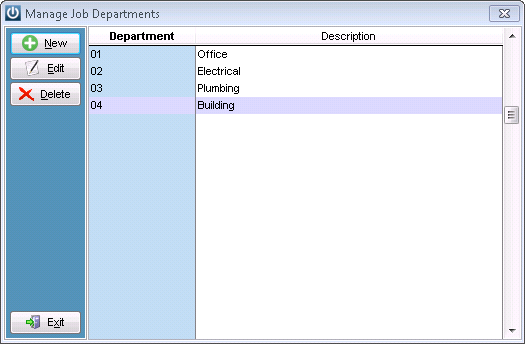
Create the relevant Departments

Please note - If selecting Sales G/L codes in this screen then users must be fully aware of the implications of adding a General Ledger Code. See the General Ledger Sales Code Priorities article
As many Departments can be created as necessary and reflect different areas to be reported on.
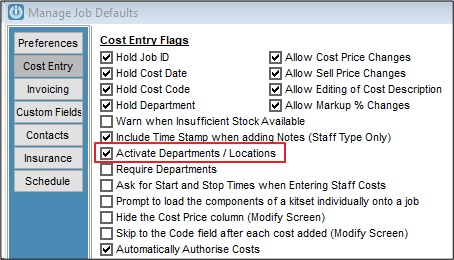
To activate Department and Locations go to Admin / Defaults / Manage Job Defaults
In the Job Entry screen a new column will now appear when entering the product line.
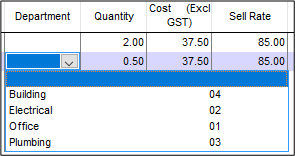
Select the relevant Department and the Costs will be assigned to that G/L Code.
All lines on a Job can go to different Departments.
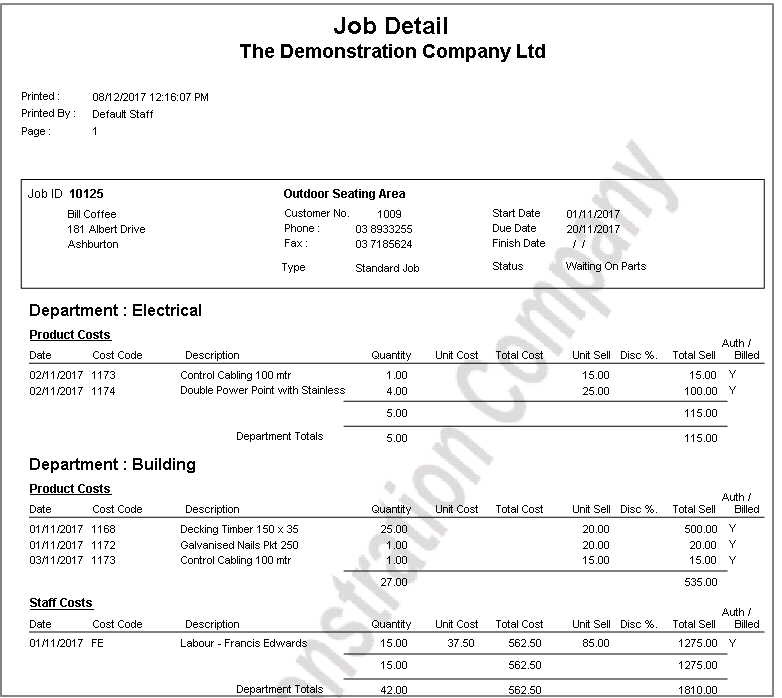
The Job Detail Report will give a breakdown of the job by Departments
Comments
0 comments
Please sign in to leave a comment.