On occasions the sale from the STIHL SHOP Website may need to be altered. The Invoice that has been imported from the Website can’t be edited in any way and will have to be processed first.
Note: You are unable to use the Credit / Recharge utility for these invoices.
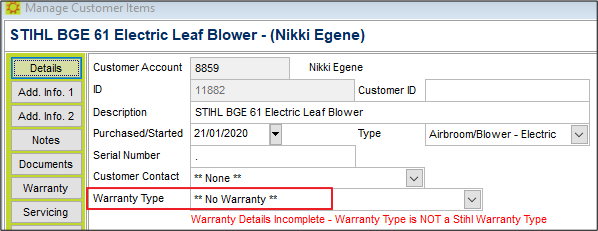
However, if you select No Warranty it will prevent the Warranty being sent to STIHL.
Swapping One Product for Another
If the customer wishes to exchange the product purchased for a different size or model then you will need to raise a new invoice for the customer.
- On the top line enter in a note detailing why the original invoice is being credited.
- Enter in the original product purchased as a negative -1 supplied.
- The second line is the replacement part as a positive quantity.
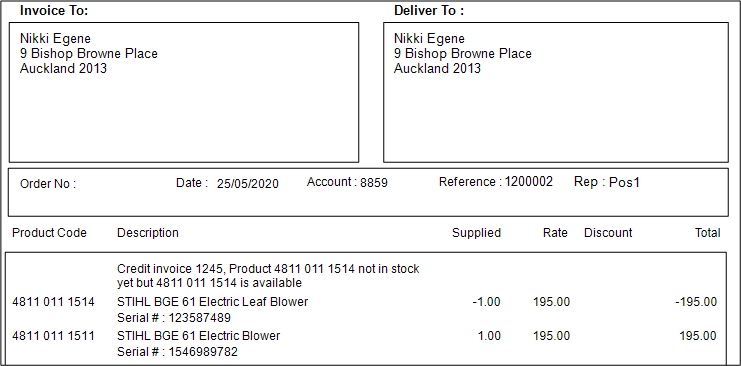
Where there is no price difference, the total will be zero and you can simply process the invoice without any further payment.
For items where there is a price difference
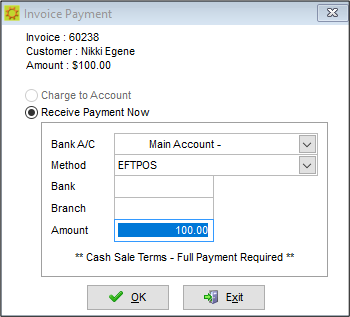
If there is a difference in price then at the completion of the invoice the customer will need to pay the difference, or be provided with a refund.
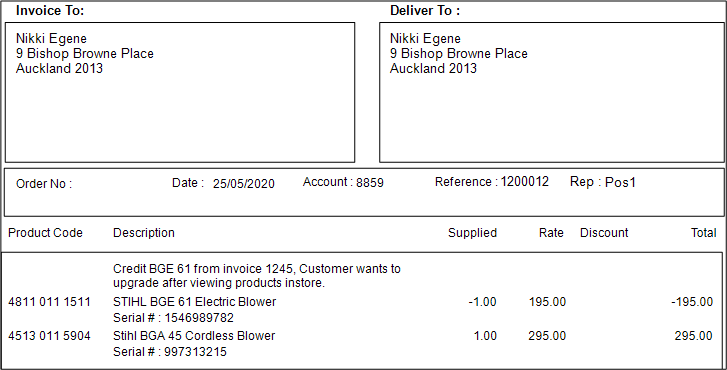
This time there will be a balance owing for the Customer to pay when the Invoice is processed.
Outdoor Power Equipment (OPE's)
If the original sale included an item of OPE then you will need to update the OPE register in SPROCKIT.
Open the OPE Module and search for the Customer's name to locate the two OPE's

Note the ID number of the OPE that the Customer is not keeping.
Go to Admin / Deleting / Customer Items, and enter in the ID and a reason for the deletion.
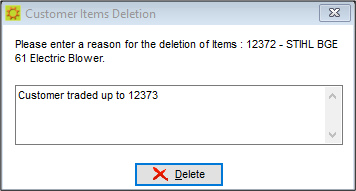
If the warranty has been registered for original product it will need to be deleted from B2B.
Comments
0 comments
Please sign in to leave a comment.