I have discovered some Job's are being charged while there are Outstanding Purchase Orders. Does the system allow this to happen?
Solution
When a Purchase Order has been linked to a Job the Orders Tab on the left of the screen shows as being Red until all Orders have been Completed.
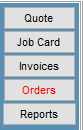
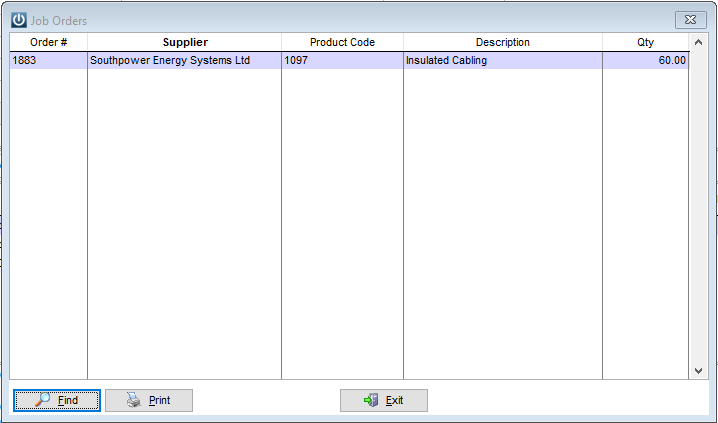
So at any stage a User can select the Orders Tab to see what is outstanding.
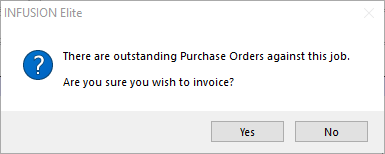
However, if the Invoice now button is selected while the there are outstanding Orders, a Prompt will appear warning the user.
If you proceed to Invoice, the Outstanding Purchase Orders will still be added to the Job if they remain linked.
Depending on the Job Default Settings in Admin / Defaults / Manage Job Defaults
These may be automatically Authorised
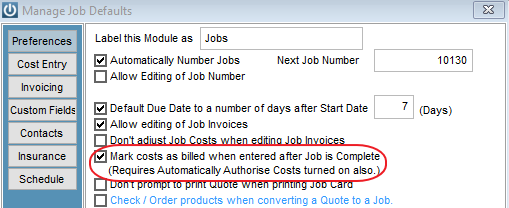
When the Outstanding Purchase Order is received the Products may be added to the Completed Job.
In this Example below, the default for Mark as billed was not ticked and the Order was added to the Completed Job. The Products are added to stock and to the Job.
See the Order Number is the same as above and the B for Billed Boxes have been ticked.

But, if the Mark Costs as Billed is ticked, when the Purchase order is receipted in, the product is added to stock and to the Job. It is then Marked as Billed.

Users need to be aware that this message needs to be checked as do the Defaults.
Comments
0 comments
Please sign in to leave a comment.