When I look at a product code it is showing a Closing Stock General Ledger code that does not exist, an Unknown G/L Code. Do I have to go through my entire system to fix these one at a time?
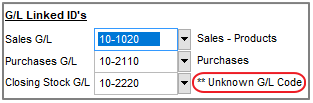
Solution
No, you do not. There is a utility under Products / Utilities - Swap Closing Inventory G/L ID. Select this and enter in the closing Stock GL Code that you wish to change and the Destination GL ID.
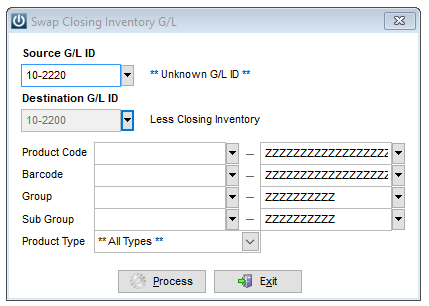
This utility can also be used to move selected Products, Groups or Types to different Closing Inventory General Ledger codes.
Once this has been done, check to see that no transactions have been posted to the General Ledger Account and if there has been please have a look at this article for instructions.
Comments
0 comments
Please sign in to leave a comment.