We have one big job with several smaller jobs that we want to track together, can we do this?
Solution
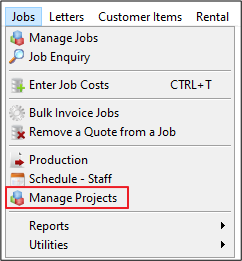
The option for doing this is using Projects. This is found by going to the Jobs menu and selecting Manage Projects.
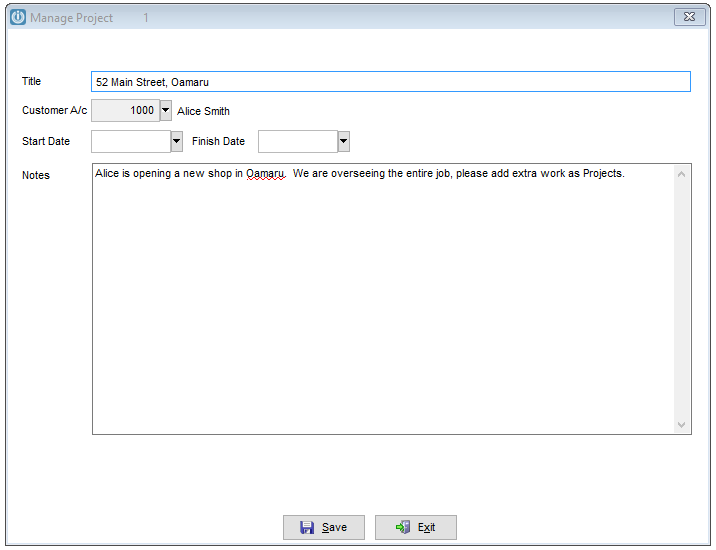
To start a new project enter details as required.
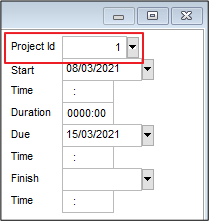
To link jobs to the Project, open them and select the Project ID on the top right hand side.
When viewing the Manage Project screen all linked Projects will appear
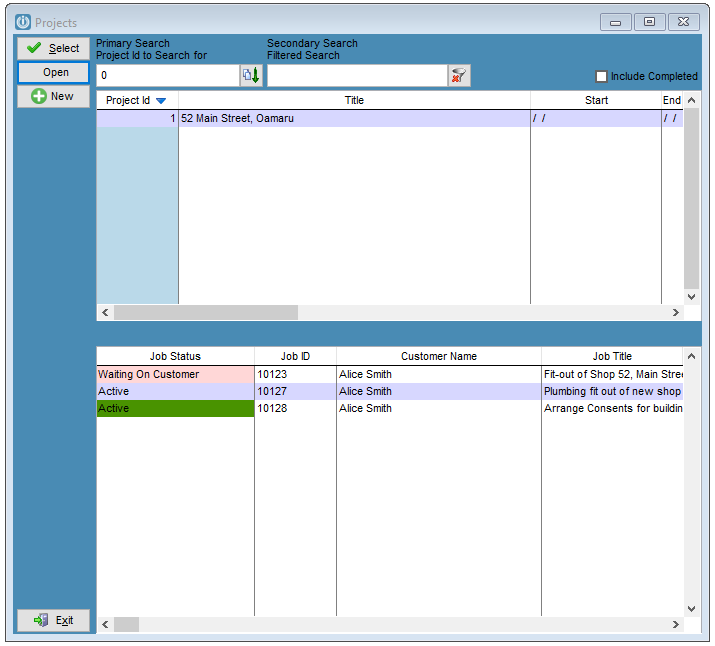
Currently Jobs are all invoiced separately.
Reporting on Projects
All Job reports with have a Parameter for Project ID with the exception of Unassigned Jobs and Budget Performance.
Work to do for Projects
Suggestions from users would like to see the ability to invoice all Projects together see ticket 9726
Add the Project ID onto the Main Job Screen see ticket 10599
At this time the Include Completed option does not work. This will be repaired in a future upgrade. Ticket 12435
Comments
0 comments
Please sign in to leave a comment.