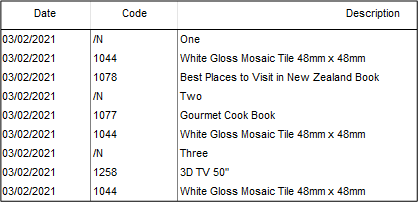
I have entered the lines on a Job in a Specific Order but when it is turned into an Invoice it is being rearranged. Can I stop this from happening?
Solution
This will depend on how you have your Job Management Invoice Detail Settings set up.
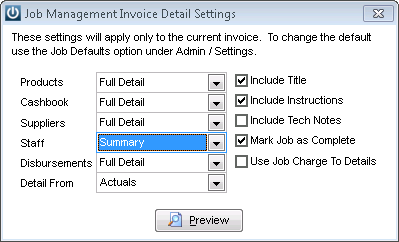
If any of them are set to anything other than Full Detail then the order that has been set in the Job will not transfer through to the invoice.
The software has to sort the line costs into cost type and then product code so that cost types can be totalled and/ or codes summarised:
The order for the cost type sorting is:
- Product type
- Supplier Invoice type
- Cashbook type
- Disbursement type
- Labour type
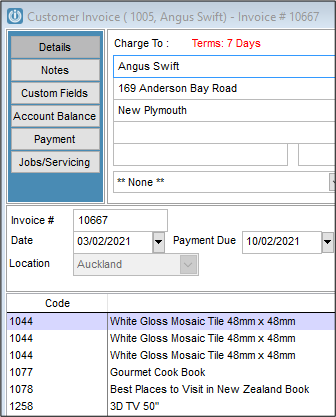
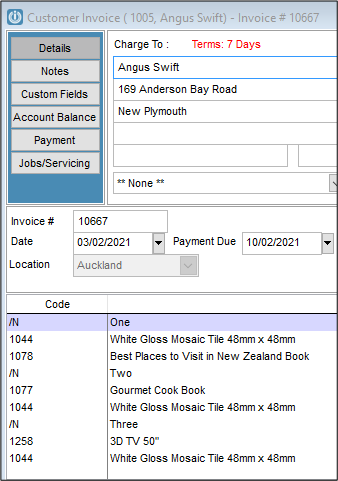
The example below has the settings from above and the Product Codes have been set to Numeric Order and the /N Notes are not appearing.
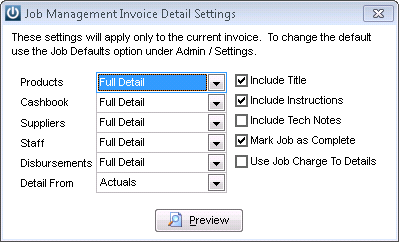
But if we show the same Job with all Setting as Full Detail we will see the Job as it was entered.
Tag: Order of Products
Comments
0 comments
Please sign in to leave a comment.