Allows setup and maintenance of Budgets. Multiple budgets can be set for each year. Budget Types are set up under Admin / Settings / Manage Budget Types.
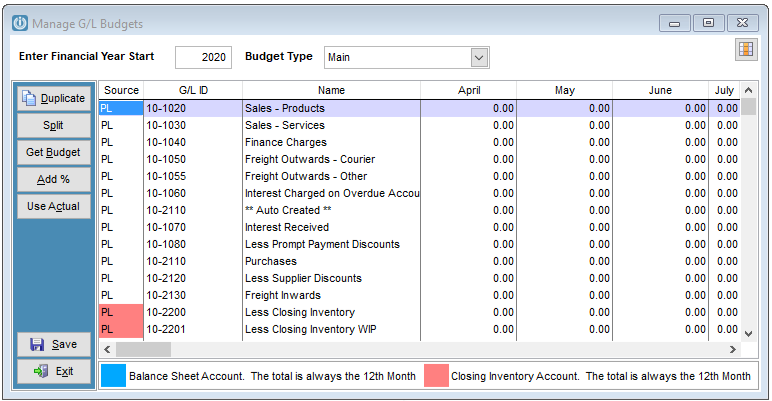
Select the Enter Financial Year Start date and the Budget Type.
The Duplicate option copies the budget value in the first month of a GL ID to all other months.
The Split option will split the budget value in the first month of a GL ID evenly over the 12 months of the budget year.
Get Budget will prompt for a year then copy over budget data from that year to the current one (same Budget Type).
The Add % will add a specified percentage to the current budget figures.
Use Actual will prompt for a year then copy the actual figures from that year to the current budget.
Comments
0 comments
Please sign in to leave a comment.