Since version 2.31, Infusion no longer gives the option to have the financial records of a transaction as pending so they can be posted manually later. This means that the field GLDIRECT is set to TRUE by default.
This can be changed in Command Mode, although currently most users would not require this customisation:
select infdata
replace gldirect with .F.
esc
The result of having this set up is that all posted transactions will have the financial records left as pending in the Financial Transactions screen. These journals need to be posted from there for the transaction to be complete.
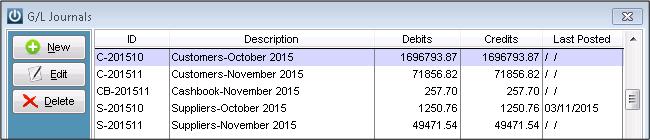
Please note!
If the Partially Posted Invoices report is run before pending journals from Invoices are posted, the report will mark these Invoices as incomplete.
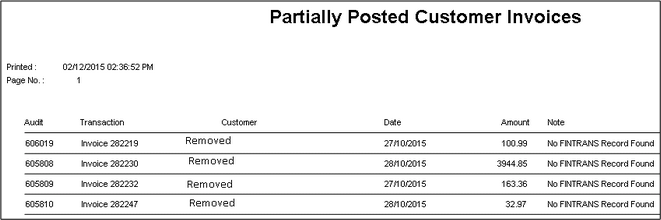
If these Invoices are repaired using the Partially Posted Invoice Repair Utility, the software will not ‘use’ the pending journal, but instead will create new records in Fintrans for these transactions. If the pending journal is then posted as well, these transactions will be duplicated in Fintrans and the System will be out of balance in the System Verification Report.
Comments
0 comments
Please sign in to leave a comment.