Setting up and tracking products is an essential part of the Inventory process and all products should be entered into the system correctly. There are times however, when the need arises to use the Miscellaneous product code.
Setup
It is recommended that two codes are set up, one for sales and one for purchases.
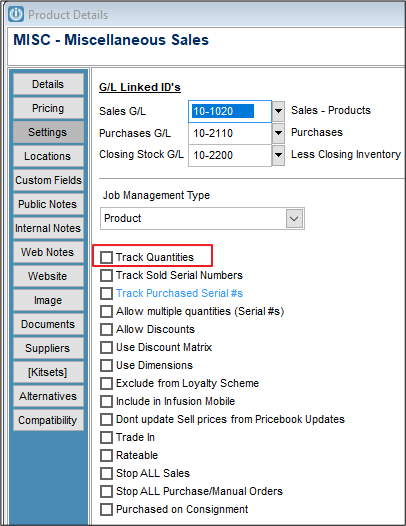
Looking at the set up of both Miscellaneous code's, the track quantities is not ticked.
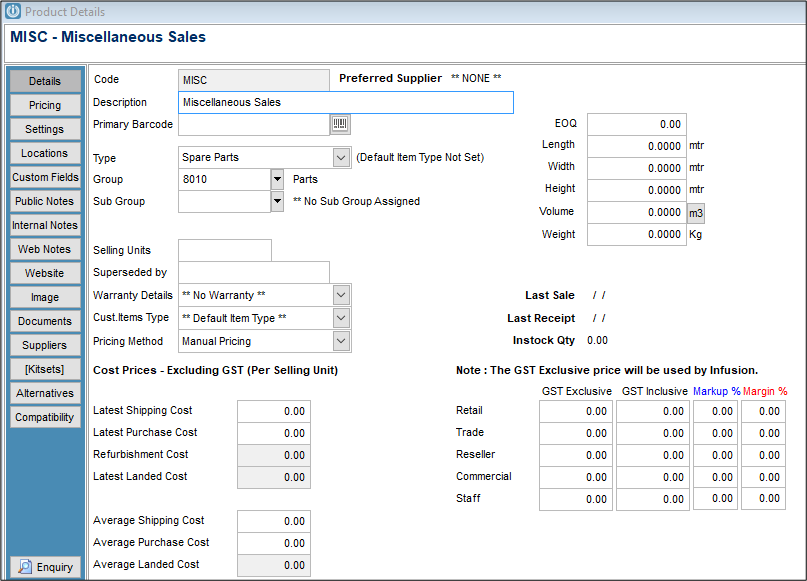
On the details screen of the MISC the cost price will always be blank, it will change on MISCP.
In Admin / Defaults / Manage Customer Defaults - Invoices, tick "Ask for Cost on Products with no Cost"
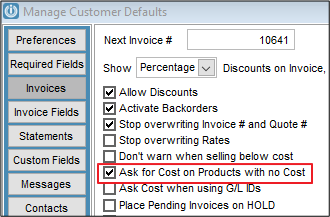
This will ensure that all Products sold will ask for the cost price when the sale is recorded. This will ensure that the Cost and Retail prices are correct in the Sales Analysis reports.
Processing
When MISC is added to a Customer Invoice, it will automatically pop up the Unit Cost Screen. Enter the cost, retail pricing and description.

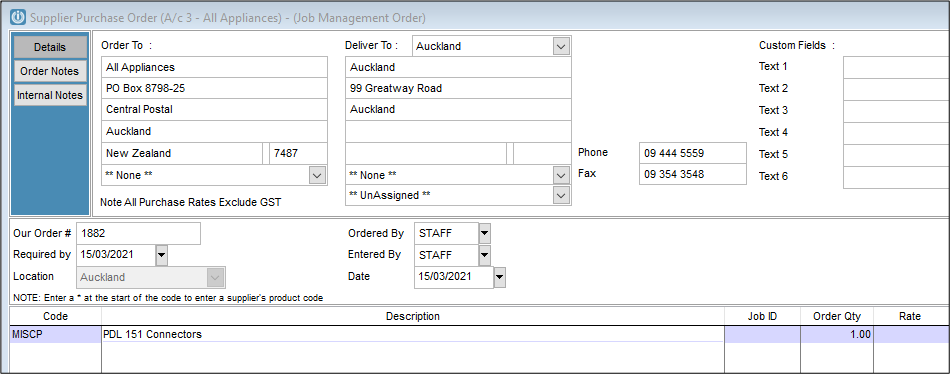
When MISCP is added to a Purchase Order, overtype the Description and order as usual.
Using this process means you always sell MISC with a zero cost price.
Comments
0 comments
Please sign in to leave a comment.