A report has been added to check the difference between the Pricebook and the Product list.
The report is located in Products / Pricebook / Pricebook Retail Price Check.
Select Pricebook Retail Price Check
Enter the Suppliers Account Number
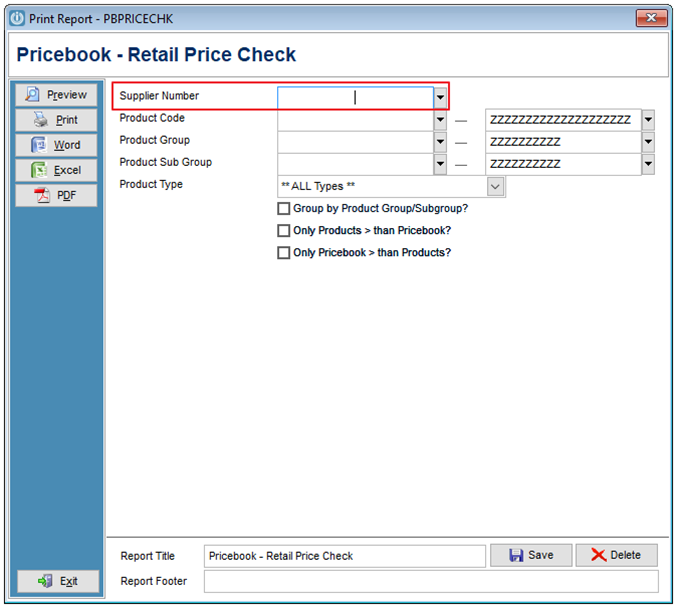
It is recommended to tick the Group by Products Group/Subgroups, this will allow viewing the products in the correct group order.
Running the report with just this ticked will show you products are different to the Pricebook.
Selecting:
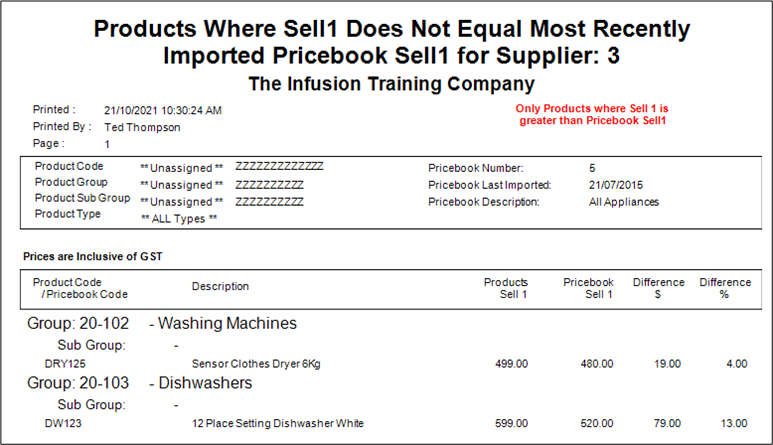
Only Products > than Pricebook? Will show all products that have a retail price greater than the current pricebook.
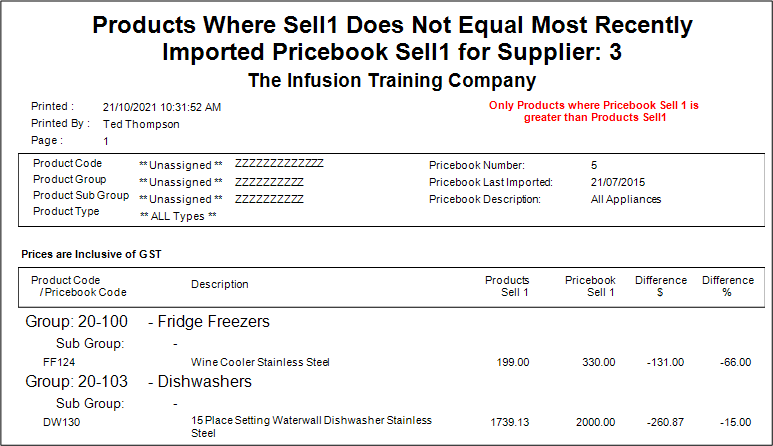
Only Pricebook > than Products? Will show all products that are less than the current pricebook, these prices should be updated.
Comments
0 comments
Please sign in to leave a comment.