Once a trade in or refurb job is created and and products are Added to Stock
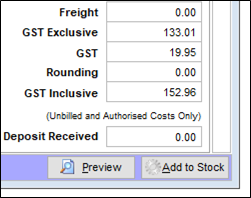
The Cost Price of the item and it's refurbishment costs are all stored on the product as below.
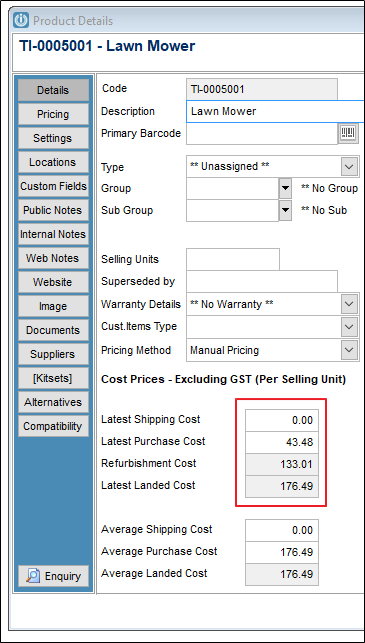
The retail prices should be updated as required.
Unfortunately if you check the Cost Price loaded against the Serial number, they will show as Zero.
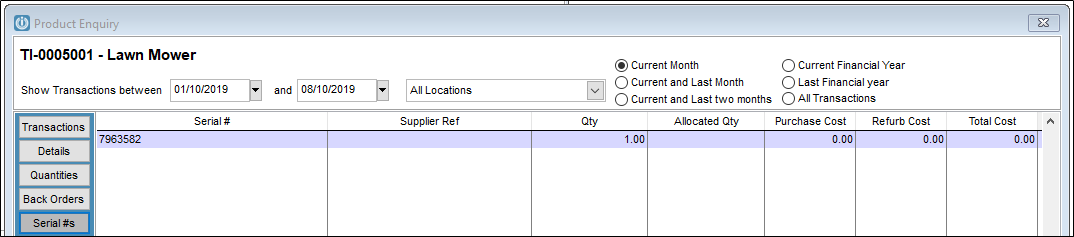
A work around to show the correct costs against the Serial Number is to right click on the product and select Serial # History.
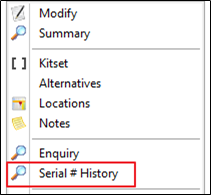
Select Edit Cost and enter the new Cost Price.
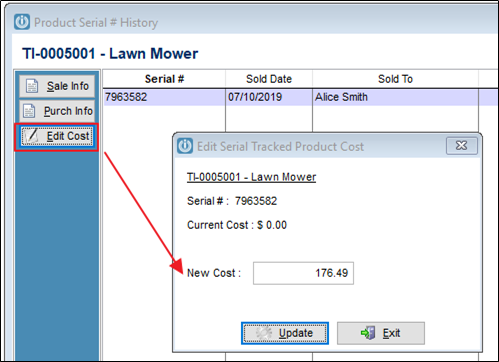
This will now be reflected against the serial number of the Product.
The same instructions can be used to add Shipping against a Serial Tracked product.
See ticket 13224
Comments
0 comments
Please sign in to leave a comment.