You can update products to Product Group Markup by creating an import routine to update the product settings, then recalculate your selling prices using the Recalculate Product Selling Prices utility (Products / Utilities / Recalculate Product Selling Prices).
- Export all products (Products / Utilities / Export All Products), open the products.csv file and filter and sort the file to have only the products you wish to update and save as a .csv file with only two columns: Code and Pricemeth (manual pricing has the column "PRICEMETH" set to 1, set this to 0 for Product Group Markups).
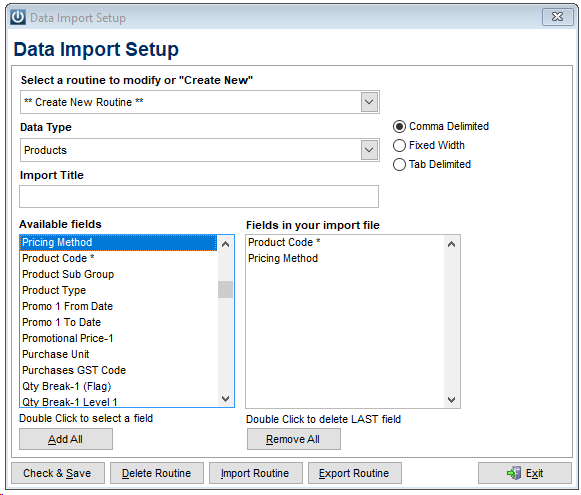
- Create a Data Import Routine as below and import the spreadsheet you saved.
As always please ensure you have taken a backup immediately prior to importing and ensure your import file is a .csv file rather than an Excel spreadsheet.
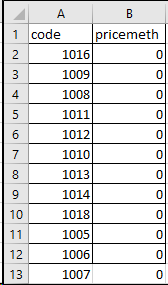
The CSV file to import would have two columns, like the example below (but the header would be removed)
See Importing Data from the Admin Import Data Menu
Comments
0 comments
Please sign in to leave a comment.