The recommended procedure for dealing with stock taken during a burglary is to enter this a Product Write Off.
Step 1
Products / WriteOff
Enter a note detailing why the Products are being written off by using /N
Enter the Product Code and the serial numbers if required.
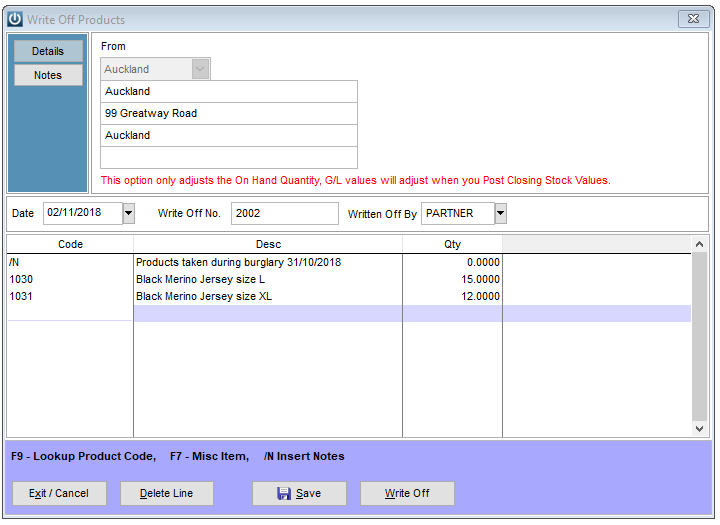
It will adjust the stock values and will have no effect to the Sales Report.
Step 2
At the end of the month, the function to “Update Stock Value to GL” will be run and the closing Stock as well as the Balance Sheet Inventory accounts will be adjusted. i.e. the stock written off will affect that month’s Cost Of Goods sold (COGS).
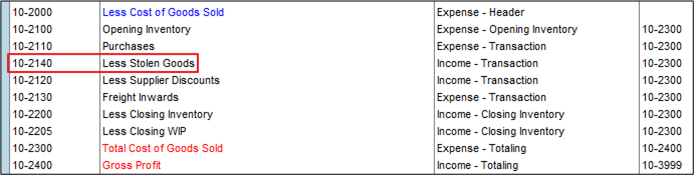
To counter balance this, a Supplier Credit Note should be entered in the system, against the insurance company. We recommend using a GL account which is visible in the COGS section of the P&L report.
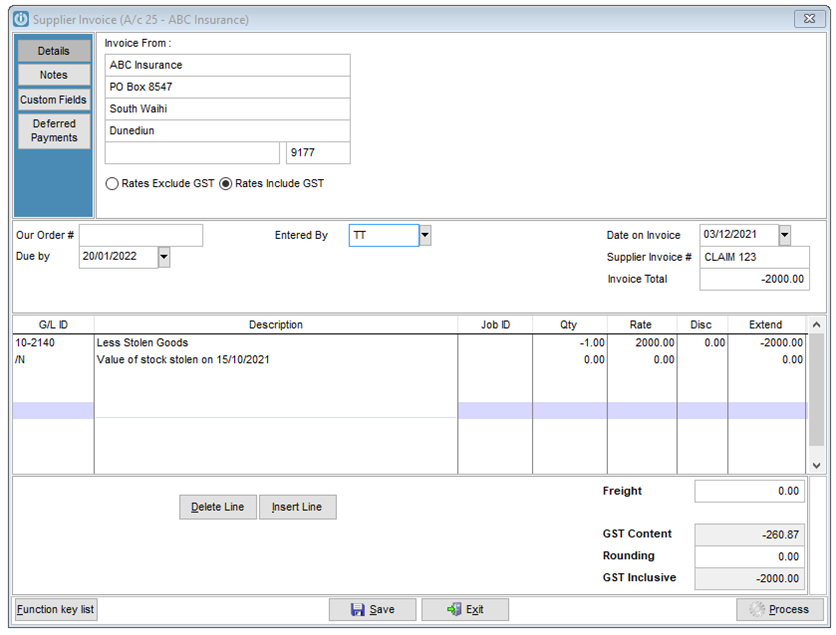
Step 3
When the Insurance Company makes payment, right click on the supplier and move the credit balance to the Paying now column. Select Pay now and this will record the receipt from the Insurance Company in the bank rec
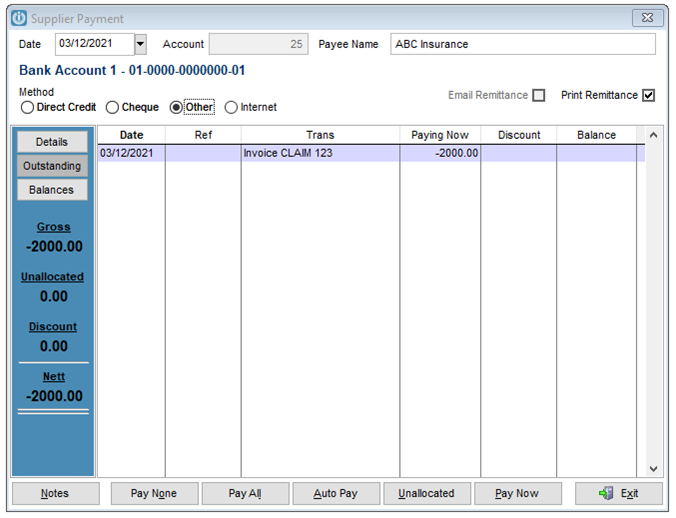
This will see the Supplier Control balance reduced, the stolen goods GL Code will record the value of goods stolen during the financial year. This will counter balance the Purchases Year to date value.
Comments
0 comments
Please sign in to leave a comment.