A change was made in Version 8.450 that allows users creating Invoices, POS and Quotes to see when the Rate and the Extend figure are no longer being sold at the Customer's listed price level.
The colour red indicates that the price may have applied
- Contract Rate
- Promo Price
- Default Discount
- Manual Discount
- Quantity Break
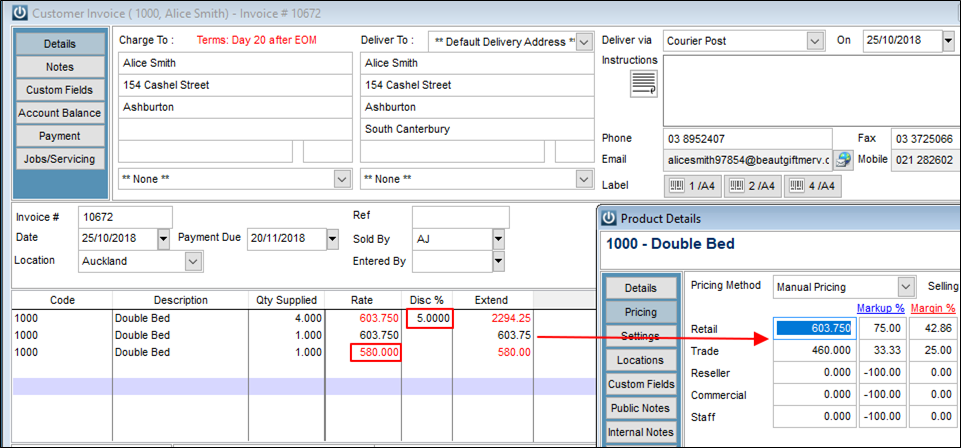
In the below example, Alice is set to Retail Price.
- When her discount is applied the Rate and Extended display red (line 1)
- When the rate is not changed and no discount is applied the rate and extended values display black (line 2)
- When the rate is manually adjusted the Rate and Extended display red (line 3)
Also see Infusion Pricing Rules to see what happens when Customers have contract rates, discounts, quantity breaks or promo pricing all set up.
Comments
0 comments
Please sign in to leave a comment.