Error
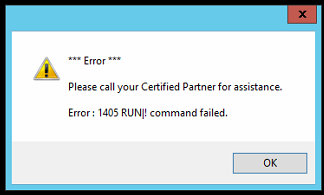
Error 1405 RUN|! Command failed when trying to open Infusion.
Solution
Caused by antivirus update, known to happen with AVG and Malwarebytes
Add Infusion to the Exclusion folder
In the System Tray locate the Antivirus Program
Right Click to open
Tools / Advanced Settings Resident Shield /Exclusion folder and add the Infusion folder
Comments
0 comments
Please sign in to leave a comment.