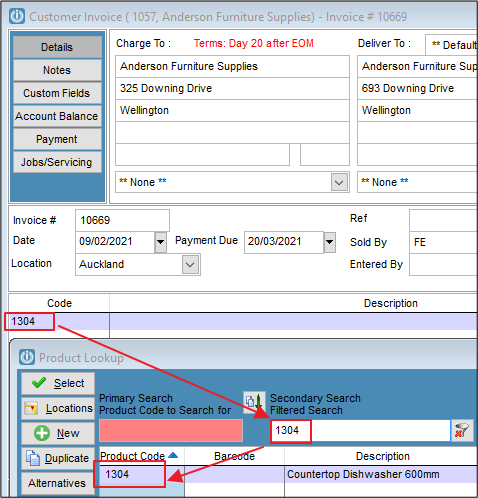
I am trying to type in a Product Code on Invoice (or Quote, Purchase Order etc) and it is not appearing, it opens the Product Lookup screen. If I type the code in the Secondary Search field it shows. Why can I not type it straight into the Code column?
Solution
Please check that Product Code does not have a blank space in front if it. If it has, then you need to add the blank space first and then the Product Code.

Or use from Products / Utilities the Swap Product Code option
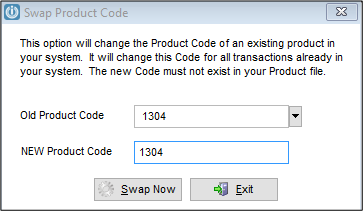
To enter in the new Product Code without the Space at the Start, then enter the Product Code without the space at the start.
Select Swap now.
Run the Product Integrity Check when all swaps have been completed.
Comments
0 comments
Please sign in to leave a comment.