We purchase items in bulk but want to sell them individually, how can we go about doing this?
Solution
To do this start with a product with no stock on hand.
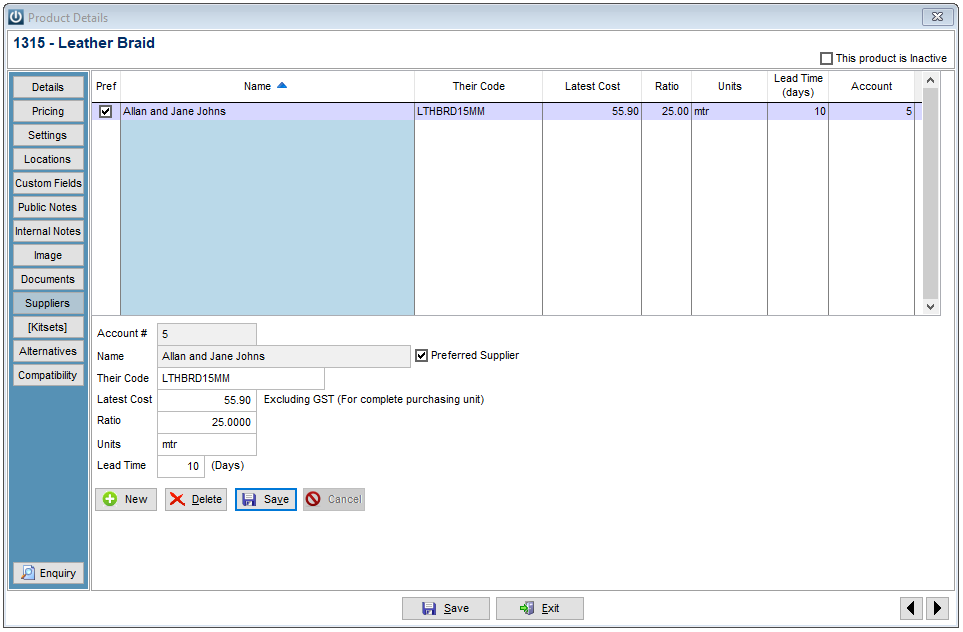
Under the Supplier tab enter in the details, in the Ratio box enter the amount of selling units that one item will be sold for. In the example below one item below will be turned into 25 stock units.
The Lead Time is how long the product is expected to take to arrive in store.
Under Manage Supplier Defaults there is an option to show Ratios when creating Purchase Orders.
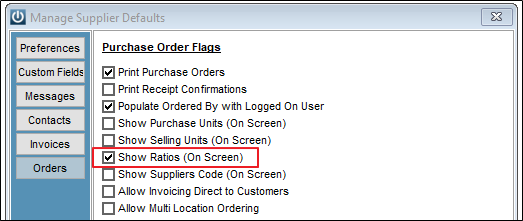
This is recommended, so that staff know that Ratio's are used on products and will only order the correct quantity.
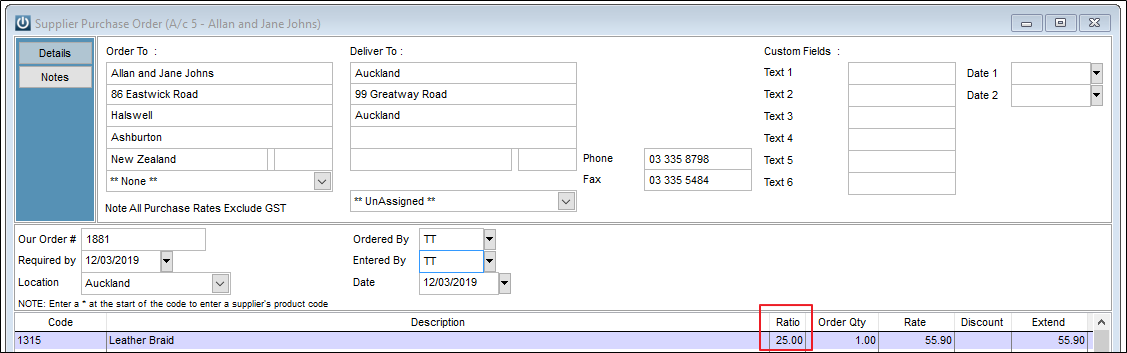
When the Order is received for one, the quantity into stock is recorded as 25 units.

Report
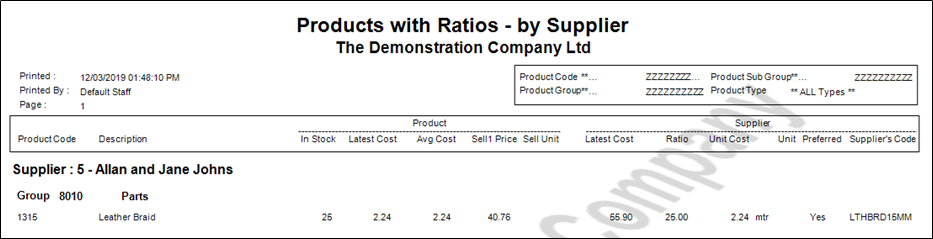
Products / Reports / Products with Ratios - By Supplier was added in version 8.470
As below, it shows all of the Products in the system with Ratios set up. Along with the Purchase and Selling Costs, the Selling Price.
Min/Max
If using Min or Max for the Product, and the ratio is set to 10, 10 would be the minimum available quantity.
Ratio by Product Group
Introduced in Version 9.005 is the option to Require a Supplier Ratio Setting in Product Groups
Comments
0 comments
Please sign in to leave a comment.