How do we add extra barcodes to our Products?
Solution
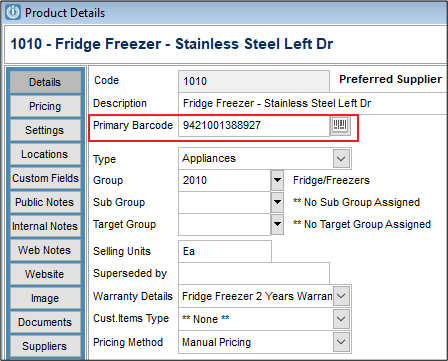
You may have the same product from several Suppliers, each having a unique barcode on the packaging. In Infusion you can add different barcodes by opening the Product and clicking on the button beside the Primary Barcode box.
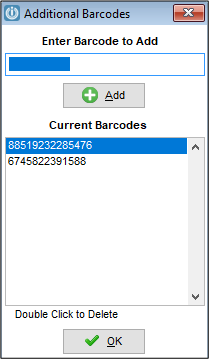
Another box will open and you can scan or key in extra barcodes, or delete if necessary. These additional barcodes will be used when searching for the product in an Invoice or POS docket. They will not show up when scanned in the Manage Product Screen.
Comments
0 comments
Please sign in to leave a comment.