Rounding behaviour on Customer and POS invoices has been unified so it works consistently for Standard and POS users. It also takes into account if the POS default to round all sales is selected or not.
Standard POS user:
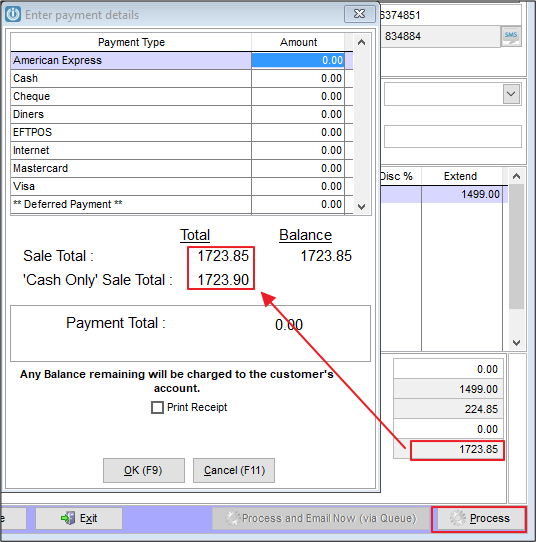
The Customer Invoice allows rounding to be entered on the invoice. This is retained in the total showing on the payment screen regardless of the payment method selected.
POS user - with POS default "Round ALL Sales" set to True
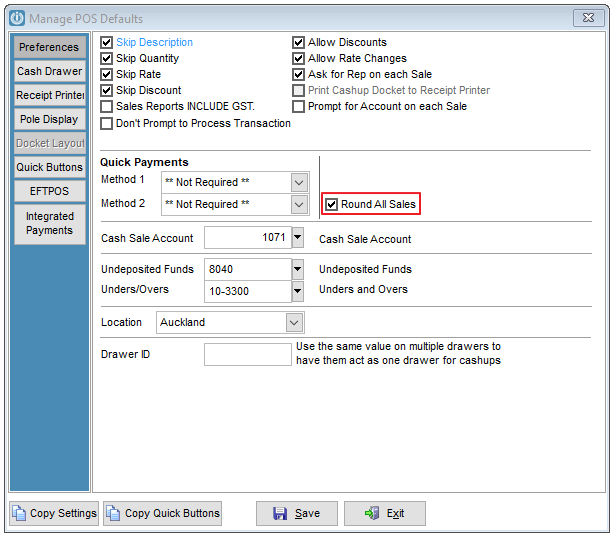
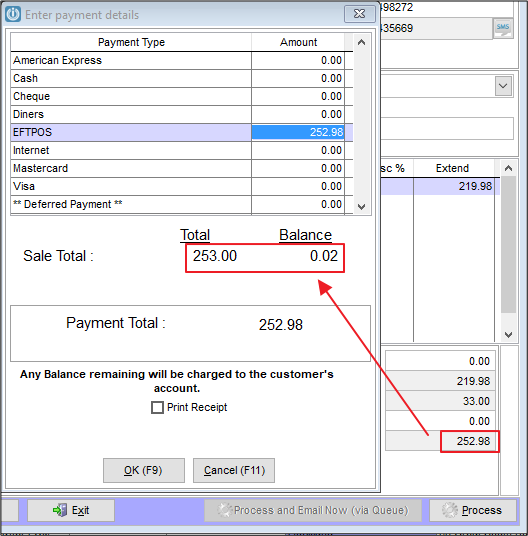
The Customer Invoice allows rounding to be entered on invoice. This is retained in the total showing on the payment screen regardless of the payment method selected. Note the balance is coded to Rounding as the invoice is processed.
The POS Invoice is automatically rounded on the screen. This is retained in the total showing on the payment screen regardless of the payment method selected
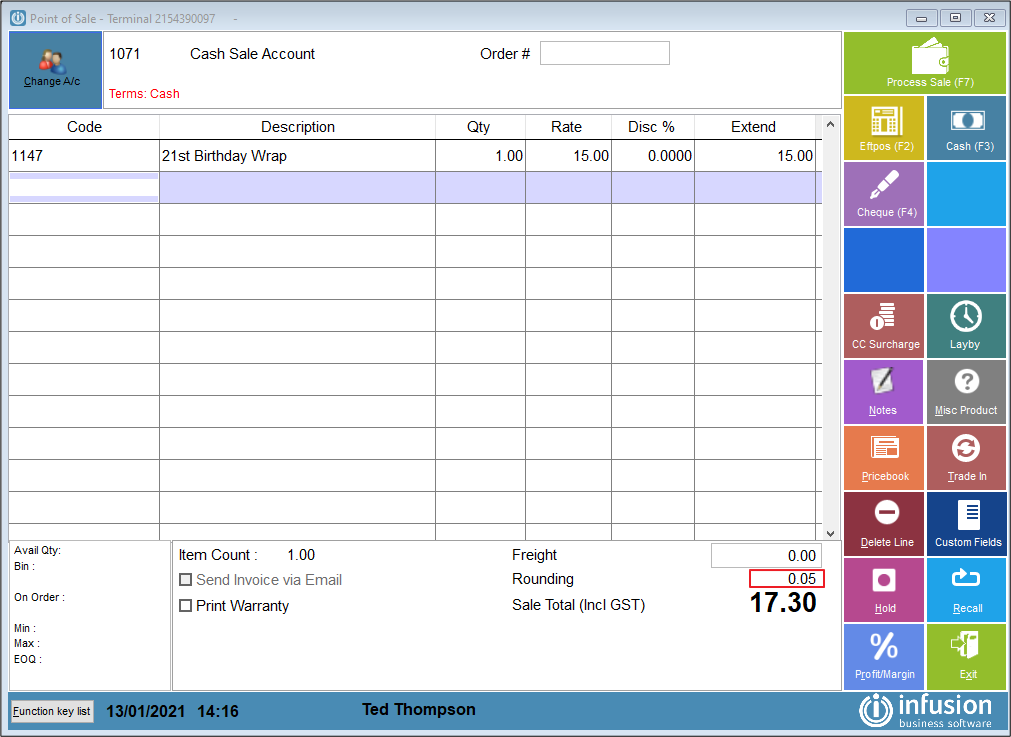
POS user - with POS default "Round ALL Sales" set to False
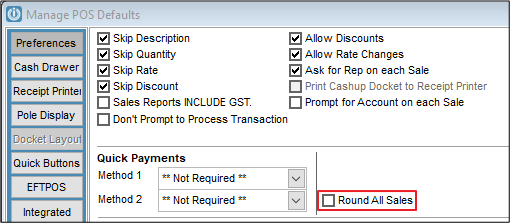
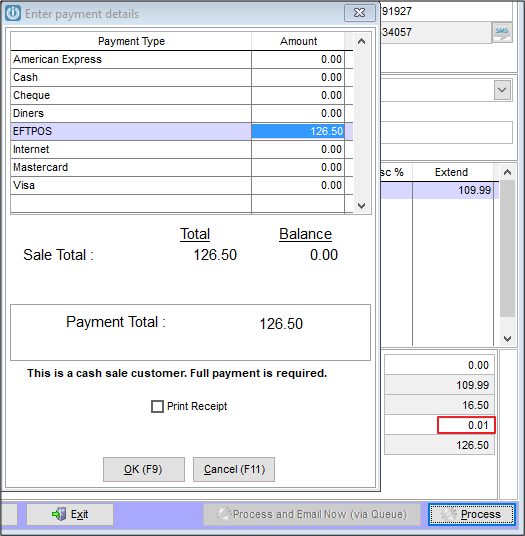
The Customer Invoice allows rounding to be entered on the invoice. This is retained in the total showing on the payment screen regardless of the payment method selected.
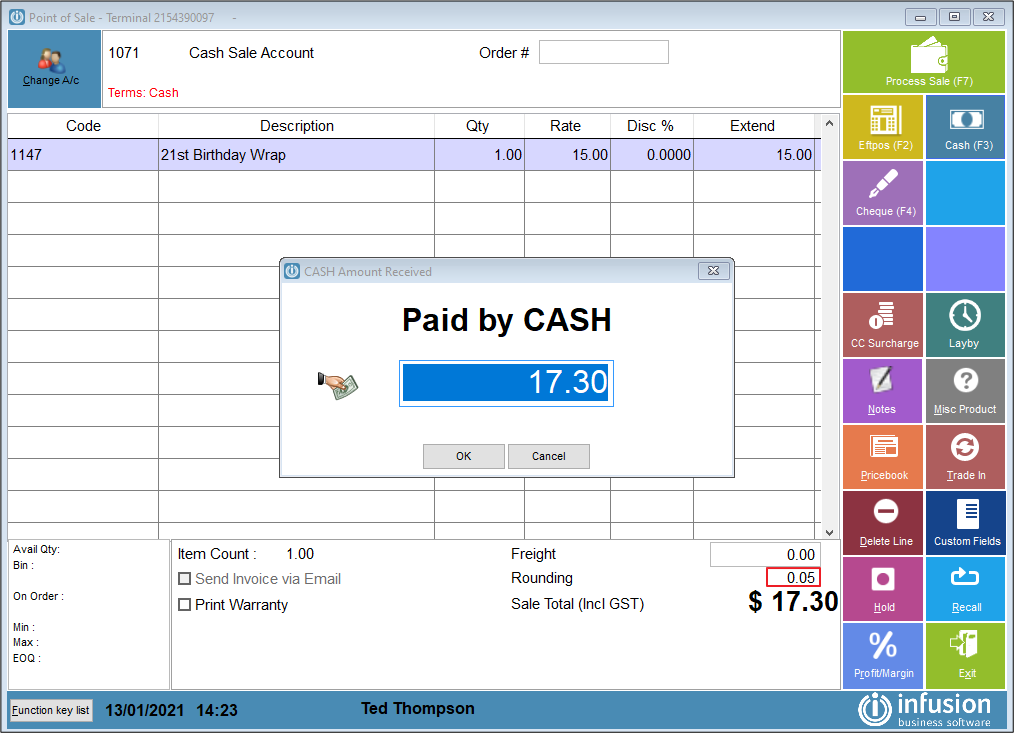
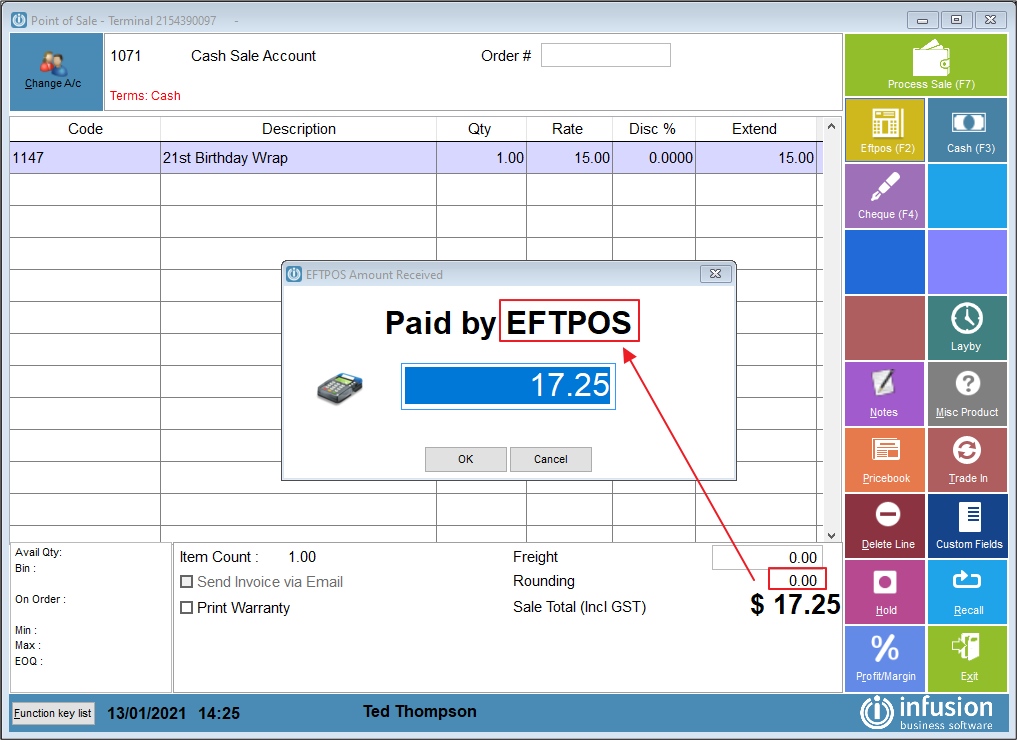
The POS Invoice is automatically rounded on the screen ONLY if payment method is CASH. This is retained in the total showing on the payment screen.
Comments
0 comments
Please sign in to leave a comment.