The Manage Banking Methods screen now has a new flag to open the Cash Drawer.
To set this up go to Admin / Settings / Manage Banking Methods. Under each of the Banking Groups highlight the Banking Methods and edit to tick the Open Cash Drawer for those Methods that you want to open the Cash Drawer only.
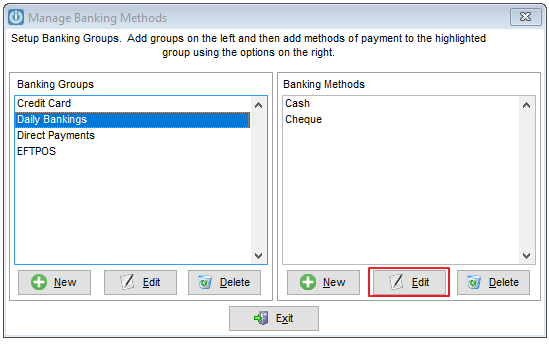
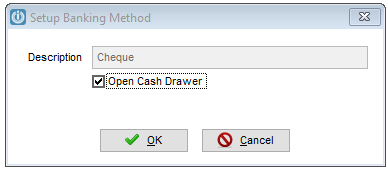
Also ensure that the POS Defaults are set to have the Cash Drawer Connected to Printer
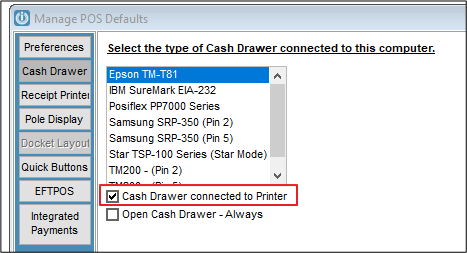
Users now can have a Cash Drawer without having a POS Terminal.
On the Hosted Server
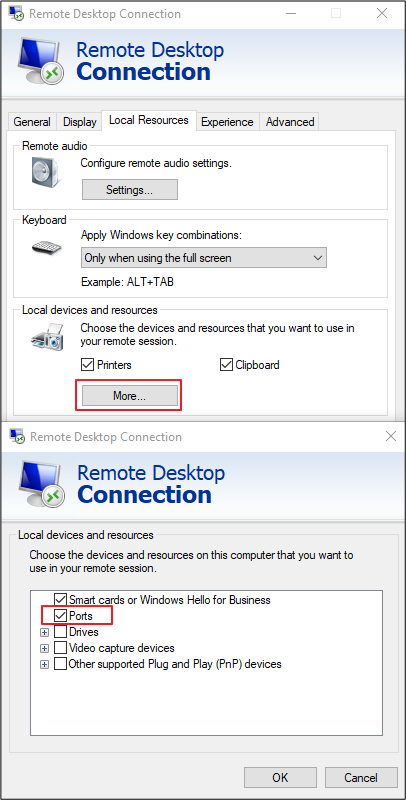
Right click the RDP Connection, under Local Resources select More.
Ensure that Ports are ticked. Go back to the General Tab and save.
Comments
0 comments
Please sign in to leave a comment.