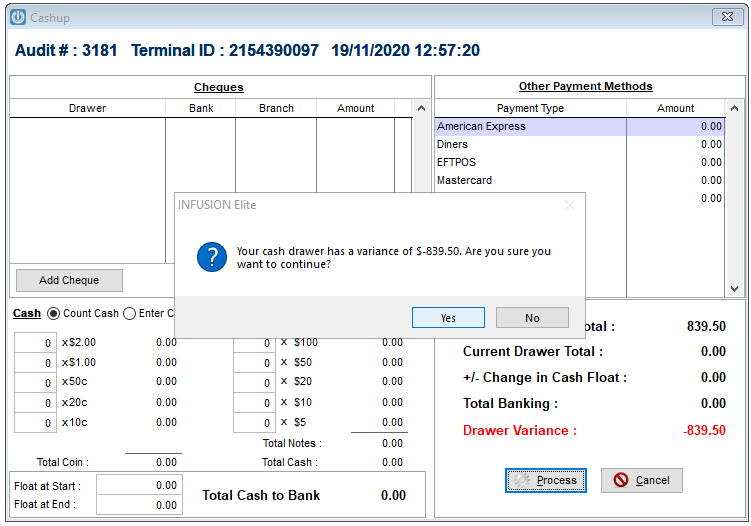
We were too fast when doing the Cash up and the entire balance - or part balance, has gone to the Drawer Variance. Where is this?
Solution
If the screen still looks like this, press no. This will allow the Cashup to be continued correctly. But, if yes was selected, a reason has to be entered explaining the variance.
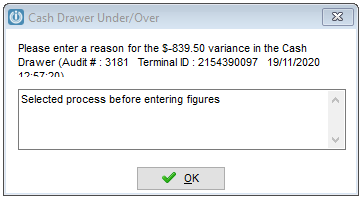
A check is needed to see which General Ledger Code the Variance has gone to. Open the POS defaults to see which GL Code Unders / Overs appear in.

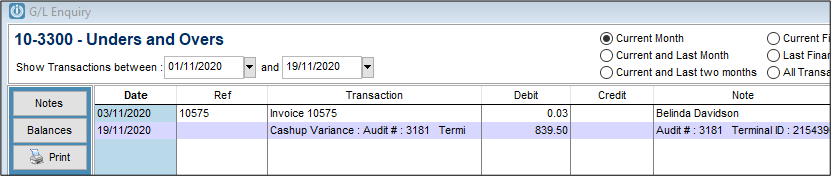
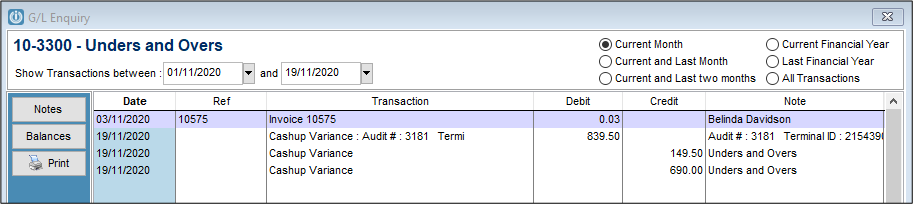
With this number check Financials / GL Enquiry for to confirm that the Variance is in this account.
Correcting the Cashup Variance
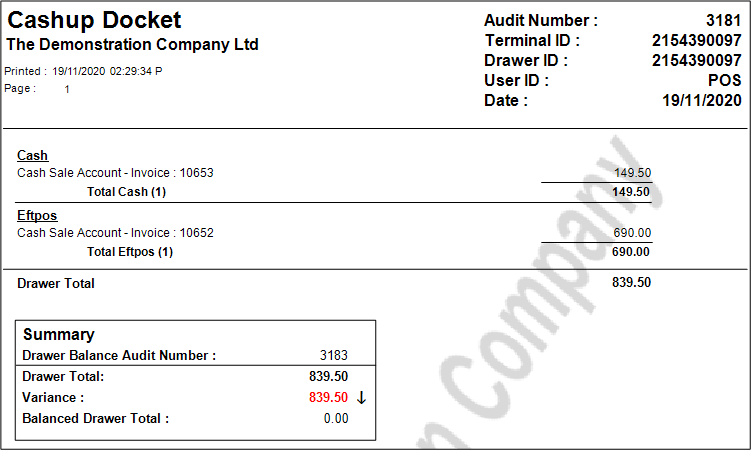
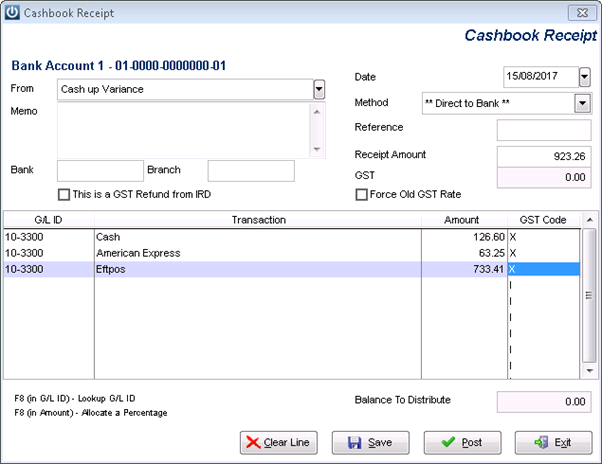
Using the example above of the entire cashup going to the variance, the printed docket tells us which totals belong to which Banking Method. Each total will need to be entered separately.
Open Cashbook / Enter Receipt - Enter the date of the Cash up. Select the method to reflect how the money was receipted, (more than one transaction may be necessary for different methods) and Change the GST Code to X (this is because GST has already been claimed on this transaction)
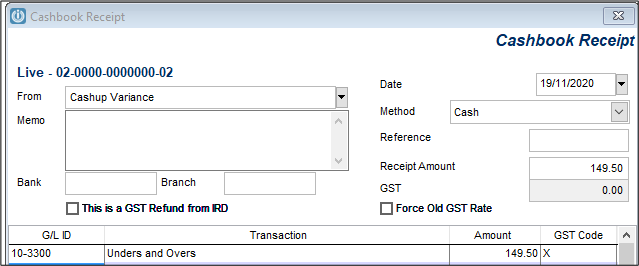
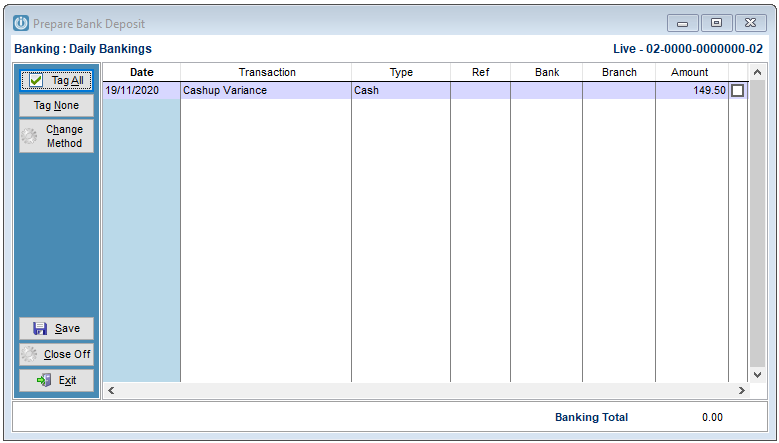
This will now place the above figure into the Prepare Bank Deposit
There are other options, you can use the Direct to bank if the total needs to be added directly to the Bank Rec Screen.
But always go back to the Unders and Overs account to ensure the Variance has been removed correctly.
Comments
0 comments
Please sign in to leave a comment.