Layby Sales are processed in the POS screen only.
This term should not be confused with the Laybuy payment method that is available.
Setup
You will enter in your standard terms for a Layby Sale
Admin / Defaults / Manage Customer Defaults - Layby Tab.
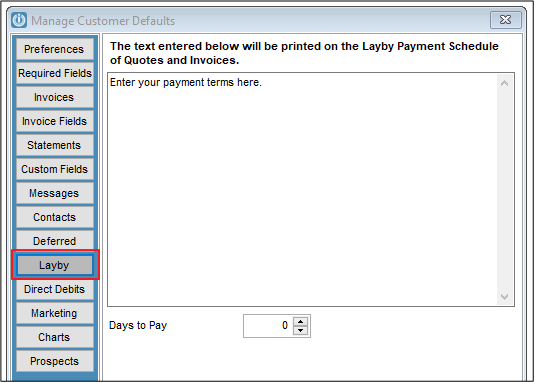
These terms will print on all Layby Invoices.
Before processing a new Layby sale for a customer, you will have set up the Customer account. This will normally have terms set to Cash Sale. Do not use the generic Cash Sale customer account.
Entering the Sale
Enter the Sale details on the POS screen; when complete Click on the Layby button and the words Layby Sale will appear in red at the bottom of the screen.
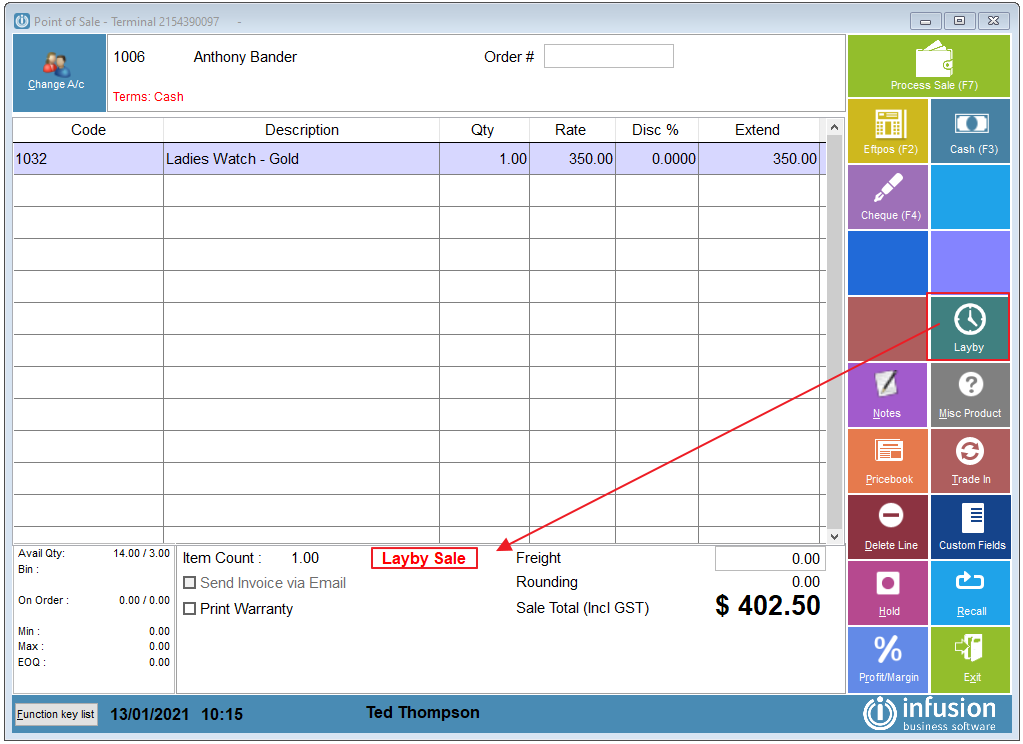
Click on the Process Sale button and enter in the initial payment amount or deposit against the appropriate payment method, and enter the balance of the invoice in the **Charge to Account** field amount.

The Customer Invoice will look the same as all invoices but will have the Layby terms printed at the bottom of the invoice.
Receiving Payments
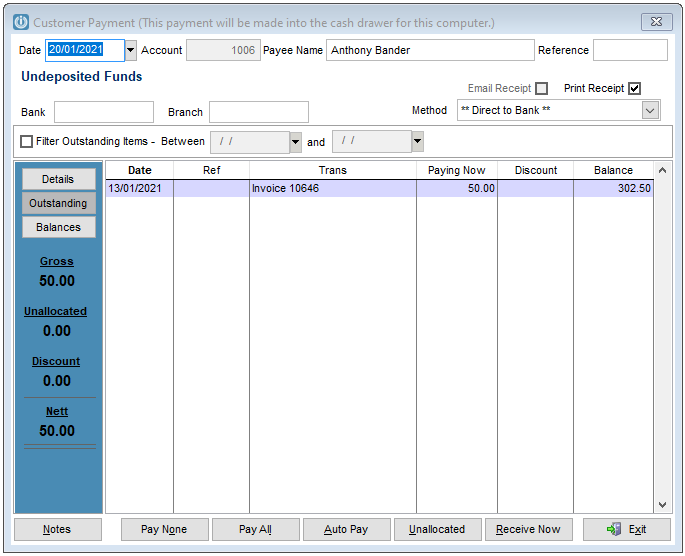
When the Customer returns later to make payments, these payments are entered as Customer Payments. as usual.
Reporting
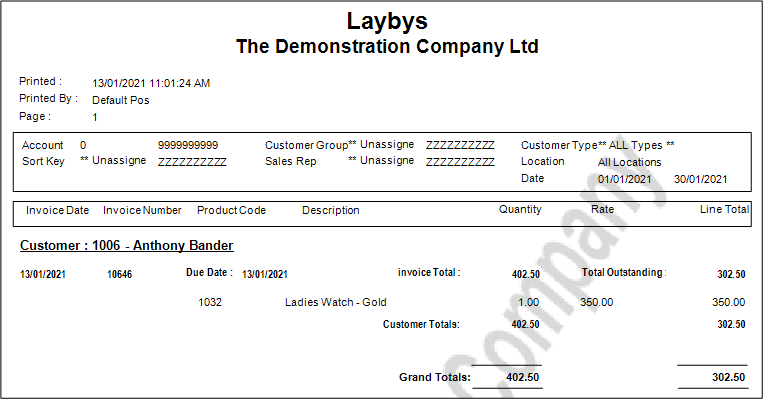
To see a report on what is on Layby by Customers, go to Invoices/Quotes / Reports / Laybys Report
Comments
0 comments
Please sign in to leave a comment.